Need help?
Do you have a question about the Snark SN-14 and is the answer not in the manual?
Guidance on safely attaching the tuner to prevent instrument finish damage.
Instructions for turning the tuner on and calibrating its pitch reference.
How to interpret the tuner's display for accurate pitch.
How to use the transpose feature with capos for guitar.
Instructions for activating and adjusting the built-in metronome.
Explanation of the automatic dimming and shut-off feature.
How the tuner performs automatic self-checks.
Step-by-step guide for inserting the CR2032 battery.
Important warnings regarding battery handling, ingestion, and disposal.
The Snark SN-14 is a clip-on tuner designed to help musicians accurately tune various instruments, including guitars and basses. Its primary function is to detect the vibrations of an instrument and display the corresponding note and its proximity to perfect pitch, making the tuning process straightforward and efficient. The tuner is chromatic, meaning it can identify and display all twelve notes of the Western musical scale, allowing for tuning across a wide range of instruments and musical styles, including non-standard tunings.
One of the key usage features of the Snark SN-14 is its clip-on design. The tuner attaches directly to the instrument, typically the headstock for guitars, using an instrument clamp. This direct attachment allows the tuner to sense vibrations directly from the instrument, ensuring accurate pitch detection even in noisy environments where microphone-based tuners might struggle. To enhance the grip of the clamp and protect the instrument's finish, the tuner includes two round black rubber pads that are adhesive-backed and can be attached to the "finger and thumb" detents on the two sides of the clamp. Users are advised to install these pads to provide optimum gripping.
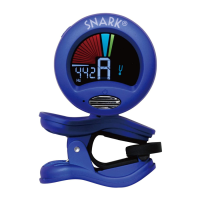
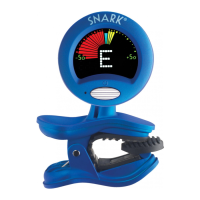
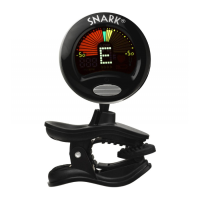
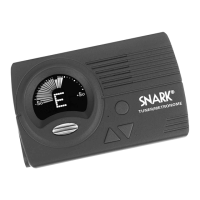
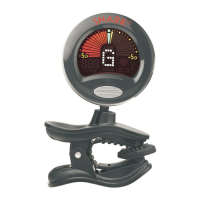
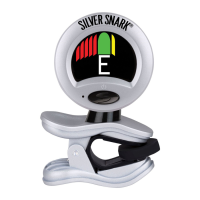
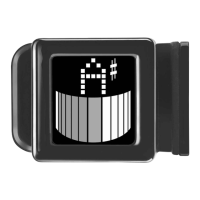
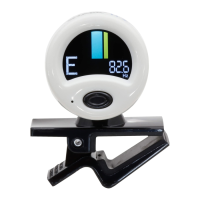
The tuner features an LCD readout that clearly displays the note being played and an indicator of whether the note is flat, sharp, or in tune. The display uses a color-coded system: red indicates a flat note, yellow indicates a sharp note, and green signifies that the note is in tune. If a red needle is lit, the note is flat; if a yellow needle is lit, the note is sharp. When the green needle at the center of the meter is lit, the instrument is in tune. If the green needle is lit and an adjacent red or yellow needle flashes briefly, it indicates that the note is very slightly out of tune, requiring a minor adjustment to achieve perfect pitch.
The Snark SN-14 is designed for user convenience with a flexible "banana" shaped arm that connects the tuner to the clamp. This arm allows for optimal viewing of the tuner display, and the tuner body itself rotates 360 degrees, enabling the user to position the display exactly where it is most visible. This adjustability is particularly useful for different instrument types and playing positions.
Powering up the tuner is simple: once attached to the instrument, the user presses the power switch located on the face of the tuner. The Snark SN-14 defaults to a tuning reference of A-440Hz, which is the standard concert pitch. However, the tuner offers pitch calibration, allowing musicians to adjust the tuning reference if needed. This is done by pushing the round "PITCH CAL" button on the back of the tuner and then immediately pressing either the up or down triangular buttons to select a new tuning reference. The pitch reference can be set anywhere from 415Hz to 466Hz. Pressing the power switch on the front of the tuner will reset the pitch reference back to A-440Hz.
Beyond its primary tuning function, the Snark SN-14 also includes a Tap Tempo Metronome feature. This built-in visual metronome is activated by the "TAP-MET" switch on the side of the tuner. A single tap activates the metronome to a default setting of 100 beats per minute (bpm), indicated by a flashing red heart on the front panel display. The tempo can be adjusted in two ways: by tapping on the "TAP-MET" switch at the desired tempo, which allows the tuner to calculate the tempo between two taps, or by using the up/down triangular buttons on the back of the tuner. To exit the metronome function, the user simply presses the power switch on the front of the tuner.
Another useful feature for guitar players is the Transpose Feature, which is particularly helpful when using a capo. This feature is engaged by pushing the "flat" triangular button on the back of the Snark. Pressing it once will display a single "flat" symbol on the front display, corresponding to having a capo on the first fret. In this setting, the lowest note on the guitar, which would normally be an "F" with a capo on the first fret, will be read by the Snark as a standard "E," making tuning appear standard. Subsequent pushes of the "flat" button will add more flat symbols, up to four, corresponding to placing the capo on the second, third, and fourth frets respectively. To return to standard tuning, the user continues to press the "flat" button until the flat symbols disappear from the display, or simply turns the tuner off and on again.
Maintenance features primarily revolve around battery replacement and care for the instrument's finish. The tuner uses one CR2032 (3 volt) battery. To install the battery, the user opens the battery drawer, removes the old battery, and replaces it with a fresh one, ensuring that the positive terminal (+) is directed upwards when placed in the battery door. The battery drawer is then gently pushed closed until a slight "click" is felt. A CR2032 battery warning is included, emphasizing the importance of keeping batteries out of reach of children due to the risk of serious injury or death if swallowed. It also advises against recharging, disassembling, or exposing batteries to high temperatures or fire, and recommends disposing of old batteries immediately.
Regarding instrument finishes, the manual provides a crucial caution. Users are advised not to leave the tuner attached to their instrument longer than necessary and to remove it as soon as tuning is complete. This is because lacquer-type finishes can be adversely affected by prolonged contact with rubber or vinyl materials. It is important for users to determine the type of finish on their instrument before using the Snark tuner. Snark specifically advises against using its tuner with instruments having finishes such as Nitrocellulose Lacquer, Polyurethane, or French Polish (which scratches easily), unless the user is willing to accept the possibility of denting the finish on some instruments. Users should also ensure that all rubber pads are intact and present before attaching the tuner to avoid damaging the instrument's finish.
The Snark SN-14 also incorporates a Power Save Feature to conserve battery life. The tuner display will dim after approximately 5 seconds if no sound is detected. The display returns to normal brightness when a note is detected. If no notes are detected for 2 minutes, the tuner will automatically shut off. Additionally, the tuner occasionally runs a "self test" to ensure all functions are operating correctly. This self-test may occur when the tuner is first turned on, lasts only a few seconds, and then returns to tuning mode.
In summary, the Snark SN-14 is a versatile and user-friendly clip-on chromatic tuner with a clear display, flexible positioning, pitch calibration, a built-in metronome, and a transpose feature for capo use. Its design prioritizes accurate tuning and user convenience, while also providing important guidelines for instrument care and battery safety.
 General
| Accuracy | ±1 cent |
|---|---|
| Display | LCD |
| Type | Clip-on |
| Tuning Range | A0 (27.5Hz) - C8 (4186Hz) |
| Power Source | CR2032 battery |
| Instrument | Guitar, Bass, Violin, Ukulele |

 To Next Page