7
Features
·
Caractéristiques
·
Caratteristiche
· Características
F
Call
·
Anruf
·
Appel
·
Chiamata
·
Llamada
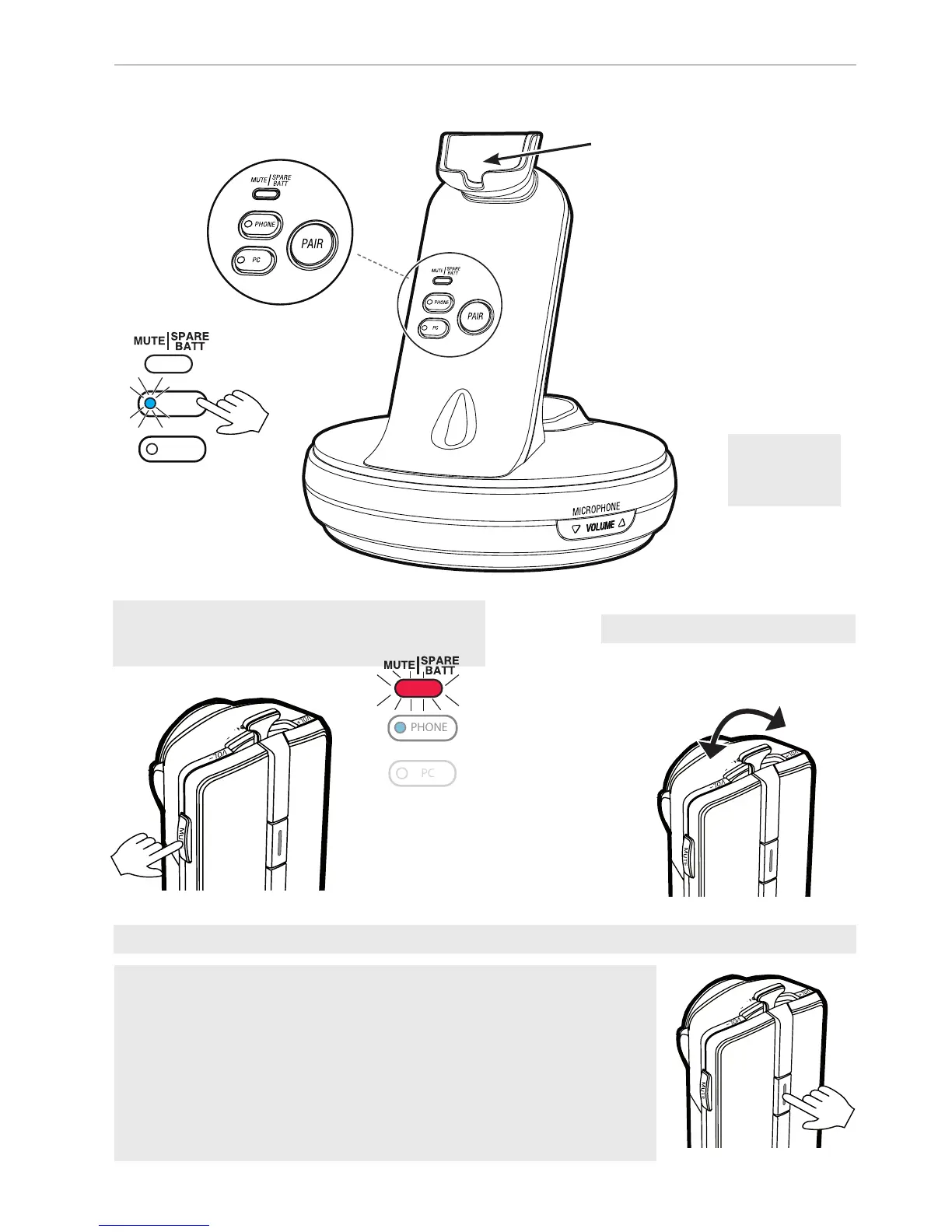
· Accept, terminate: Press key 1x. Make call: Press 1x and dial number on
phone‘s keypad.
· Annehmen, beenden: 1x auf Taste drücken. Anrufen: 1x drücken und Nummer
auf Tastatur des Telefons wählen.
· Accepter, terminer: Appuyez sur la touche 1x. Passer un appel: Appuyez 1x et
composez le numéro sur le clavier du téléphone.
· Accettare, terminate: Premere il tasto 1x. Eettuare una chiamata: Premere 1 x
e comporre il numero sulla tastiera del telefono.
· Aceptar, terminar: Pulse la tecla 1x. Hacer una llamada: Pulse 1x y marca el
número en el teclado del teléfono.
Volume
Magnetic charging mount
·
Magnetische Ladehalterung
·
Support de charge magnétique
·
Supporto caricamento magnetico
·
Soporte magnético de carga
PHONE
PC
Vol +
Vol –
Volume
· Lautstärke ·
Volumen
Volume
·
Lautstärke ·
Volumen
Mute microphone
· Mikrofon stummschalten ·
Mode muet
· Disattivare microfono ·
Desactivar micrófono
PHONE
PC
Red, flashing
·
Rot, schnell blinkend ·
Rouge, la DEL clignote ·
Rosso, il LED
lampeggia
·
Rojo, el LED parpadea


 To Next Page