Need help?
Do you have a question about the SOCO CPX and is the answer not in the manual?
List of included accessories such as remote controls, mirrors, charger, and manual.
Step-by-step guide for assembling mirrors and front windshield for the electric bike.
Instructions on how to correctly install the battery pack into the designated compartment.
Steps to power on the electric bike, including unlocking, wearing a helmet, and starting.
Guide on downloading and installing the SUPER SOCO app for smart phone connectivity.
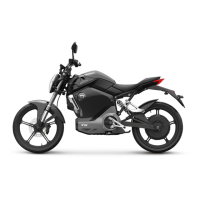
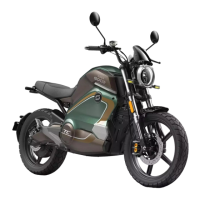
Visual identification of key external components of the electric bike from side and top views.
Explanation of various indicators, speed, time, mileage, battery, and gear displays on the dashboard.
Details on operating the high/low beam, turn signals, and horn using the left handlebar switch.
Explanation of mode selection, parking, and forward/reverse switches on the right handlebar.
How to use the smart remote control for keyless start, unlocking, and locking the electric bike.
Using the mechanical key for ignition, powering on/off, and unlocking the handlebar.
Location and purpose of the kill switch for safety and power management.
Essential items to check before riding, including tires, brakes, lights, and controls.
Step-by-step process to power on the CPX, including unlocking and engaging the drive.
Advice on acceleration, speed, load limits, and parking procedures for safe riding.
How to connect the charger to the bike for charging and understanding charging indicator lights.
Steps for removing the battery and charging it externally, with important safety tips.
Guidelines for storing the battery pack and charger in suitable conditions and during transport.
Recommendations for initial and regular service intervals at authorized centers.
Instructions for cleaning the electric bike using appropriate methods and materials.
Essential tips for maintaining the bike, including safety precautions and storage advice.
Solutions for common errors like no power, motor not working, and slow speed.
Troubleshooting battery-related issues such as charging problems, low power, and temperature errors.
Instructions for downloading the SUPER SOCO app and compatibility requirements for iOS and Android.
Steps to connect the SUPER SOCO app to the electric bike using a QR code or similar method.
 General
| Category | Motorcycle |
|---|---|
| Manufacturer | SOCO |
| Model | CPX |
| Max Speed | 90 km/h |
| Brakes | Front and rear disc brakes |

 To Next Page