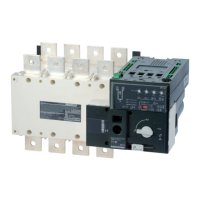
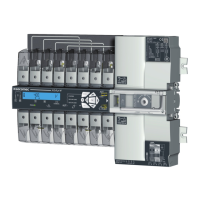
ATySgM - 542933D - SOCOMEC
34 EN
13. OPERATION
13.1. Presentation of the product interface
13.1.1. 2P product interface
1. Adjustment potentiometers
voltage and frequency thresholds
2. Potentiometers to set timers
3. Auto LED
4. Source
I
and Source
II
availability indicators
5. Fault LED
6. Dip switchs
6
21
5 4 3
13.1.2. 4P product interface
1. Source
I
and Source
II
availability indicators
2. Fault LED
3. Auto LED
4. Dip switchs
5. Adjustment potentiometers of the
rated voltage and frequency and
voltage thresholds
6. Potentiometers to set timers
6
1
5 5 6 6
2
3
1 2
5
34
1. Locking
• Option to padlock using a 1 x 8 mm max. padlock.
2. AUT/MAN cover
• Open the cover to switch to manual mode.
• Close the cover to return to automatic (remote control) mode.
• Open and close the cover to clear faults.
3. Auto/Manual mode sensor
4. Switch position indicators
• Display of position I, 0, II.
5. Manual switching
• Insert the Allen key (5.0 mm) provided and turn to switch
manually.
• Manual operation is not possible when padlocked.



 To Next Page
 Loading...