DISPLAYS & CONTROL
Q SECTION 1
14
5.2 TEST PROCEDURES
5.2.1 Battery test
The battery test can be activated manually or via the SW (as long as the conditions are right).
The automatic test checks the efficiency of the batteries so that, if necessary, the user can be informed when
they need to be replaced in order to guarantee sure service of the UPS.
If the test fails, an alarm condition is displayed.
For a manual
test, press the ON button for more than 3 seconds (with the UPS in normal conditions); the test
lasts for about 10 seconds with the LED bar flashing to indicate that the test is in progress.
It is advisable to perform the test with batteries fully charged (LED bar fully lit up).
5.3 COMMUNICATION
All the UPS-ENTERPRISE models are provided with the RS232 serial communication interface and USB.
A DB9 serial cable is supplied and is to be used for direct connection to the server.
Optional communication and signalling accessories are also available, such as:
• Uni Vision local management software with local shutdown functions for Windows systems
• Uni Vision pro network management software with local/remote shutdown functions on the leading operating
systems based on JSC (Java Shutdown Client)
• Net Vision Web/SNMP manager* for control via LAN with TCP/IP protocol and remote shutdown
management
• the relay card with 3 zero-potential dry contact signals and an isolated input (ESD)
* Net Vision permits direct connection of the UPS to a LAN (RJ45 ethernet) and remote control of the UPS
through TCP/IP using a WEB browser.
5.3.1 RS232 interface
Communication with the server can take place directly via the RS232 interface using the Jbus protocol.
In addition to the local or networked shutdown it is possible to perform full monitoring of the electrical parameters
of battery status and the automatic ON / OFF programming of the UPS.
For a complete description of the software features, refer to the Uni Vision and Uni Vision Pro documentation.
5.3.2 USB interface
In addition to the RS232 serial link, it is also possible to establish communication directly through USB with the
HID protocol, where available in the operating system.
In this case, it is not necessary to install any SW, a standard USB cable is used and, once connected,
recognition takes place in the same way as for any peripheral.
The unit’s control parameters may be managed directly through the operating system’s service menu.
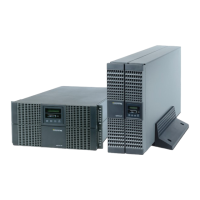
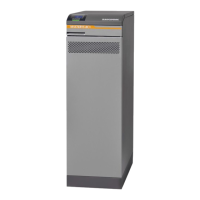
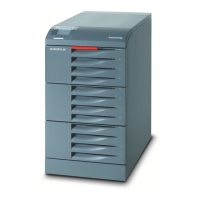
Tower Version
Slot for optional
communication cards.
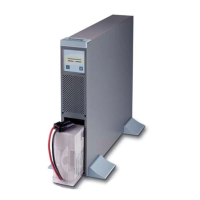
Rack Version


 To Next Page
 Loading...