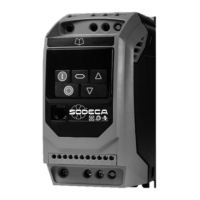
AP3. MIXED MODE – External start, speed adjustment with the internal keypad.
This section explains how to configure the mixed control mode. This mode is a combination between the basic
configuration and the exterior remote control kit configuration. This mode allows to start the drive from an exterior switch
and adjust the speed with the internal keypad.
3.1 PROGRAMMING
Use the next table to change to the mixed mode.
Table “MIXED MODE”
3.2 WIRING
Before the start of the programming, wire the L1-L2-L3 input phases when using three phase equipment and wire the
L1-L2/N input phases when using single phase equipment.
Once the “MIXED” control mode is selected, that is after introducing the parameters of the mixed mode table (section
3.1), wire the remote control as seen in the picture. (See Fig. 2).
3.3 “MIXED” OPERATION MODE
1. To start the drive, close the built-in switch of the remote control (starting switch ON). The display will stop showing
and the drive will accelerate towards the minimum speed adjusted in the P-02 parameter.
2. Press to increase speed.
3. The drive will increase gradually, with the acceleration ramp previously programmed, until the key is no longer
pressed. The acceleration ramp is adjusted in theparameter, check before the start.
4. Press to decrease speed. The drive will decelerate until the key is no longer pressed.
The acceleration ramp is adjusted in the parameter.
5. When the starting switch is OFF, the drive will start to decelerate and stop, showing in the display. The drive
is disabled.
6. While the drive is enabled, we can visualize the consumption of the motor by pressing the navigator key >2
seconds.
ATTENTION: If there’s a loss of the power supply while the ventilator is working with the starting
switch closed, the drive will be disabled with the display showing . Once the power supply
is restored, the drive will be disabled even with the starting switch ON. In order to start the drive
again, the switch must be changed to the OFF position and then changed again to the ON
position. See parameter to modify the configuration and change it to .


 To Next Page
 Loading...