of
www.soehnle-professional.com
Hold function
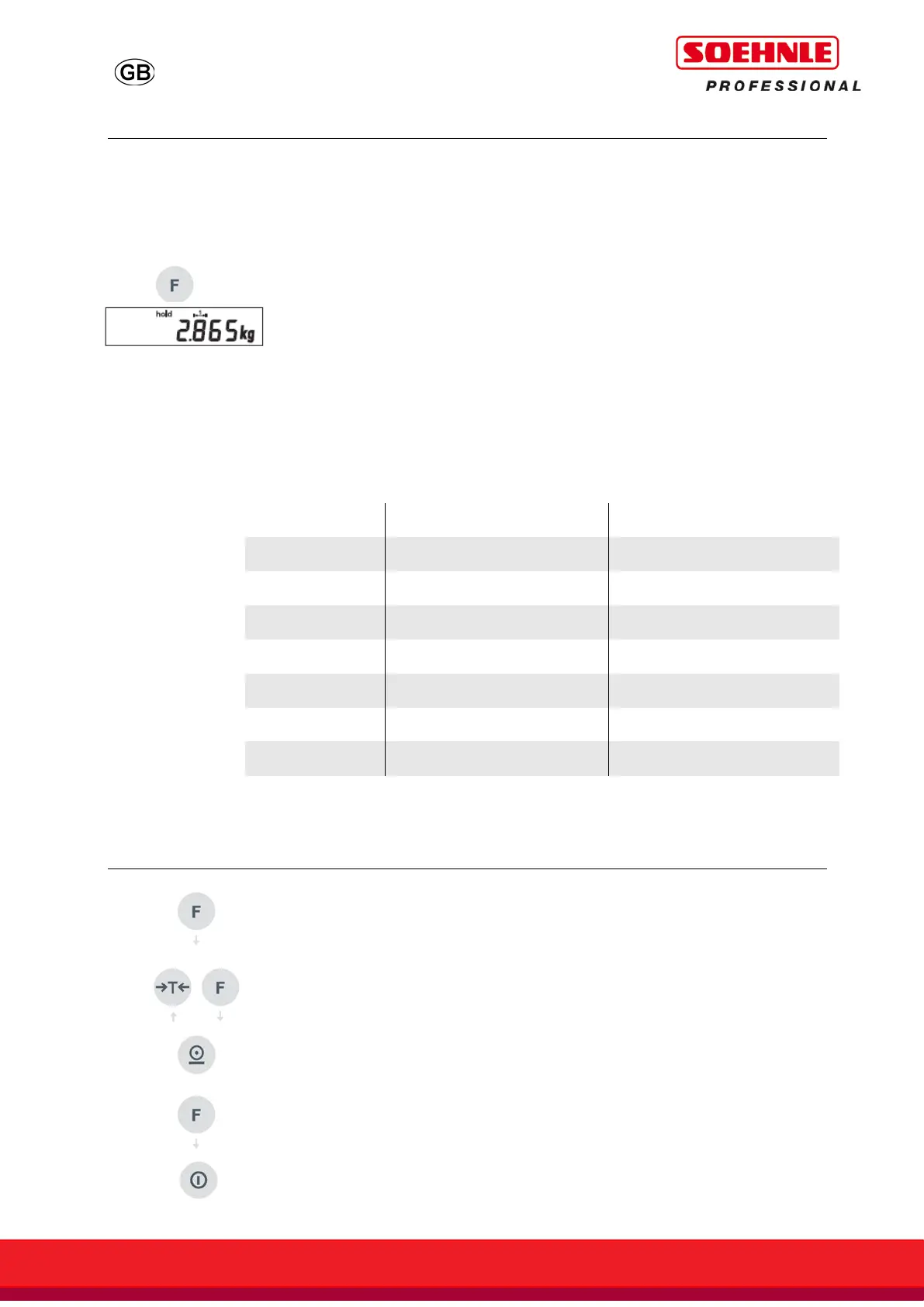
The Hold function is activated with the Function key in Setting mode.
For Function key settings, see User mode 3710 (see separate
description 470.702.099, when needed for using scales or request
Soehnle Industrial Solutions).
In weighing mode, the Hold function is activated by pressing the
Function key.
In order to freeze the weight data, the following hold functions are
available as standard. Default is "0".
For Hold Function settings are carried out in the Setting Mode (see
separate description 470.702.099, User mode 3710, when needed for
using scales or request Soehnle Industrial Solutions).
0 Not active
1 Hold when stable On/Off button
2 Hold when stable Unload the scales
3 Max. value On/Off button
4 Max. value Unload the scales
5 Drag pointer On/Off button
6 Drag pointer Unload the scales
BMI Function
Load the scales.
Press the F function key. (Default setting of the function key)
Display shows body size, standard 170 cm (H: 170.)
Changes possible with T or F key.
Confirm entry by pressing Enter.
Display will change between weight and BMI value (bl:26.2 - 82.8kg).
F key returns to the entry of body size.
To end the BMI function unload the scales or press the ON/OFF key.



 To Next Page