of
www.soehnle-professional.com
3. FAULTS – CAUSES AND REMEDIES
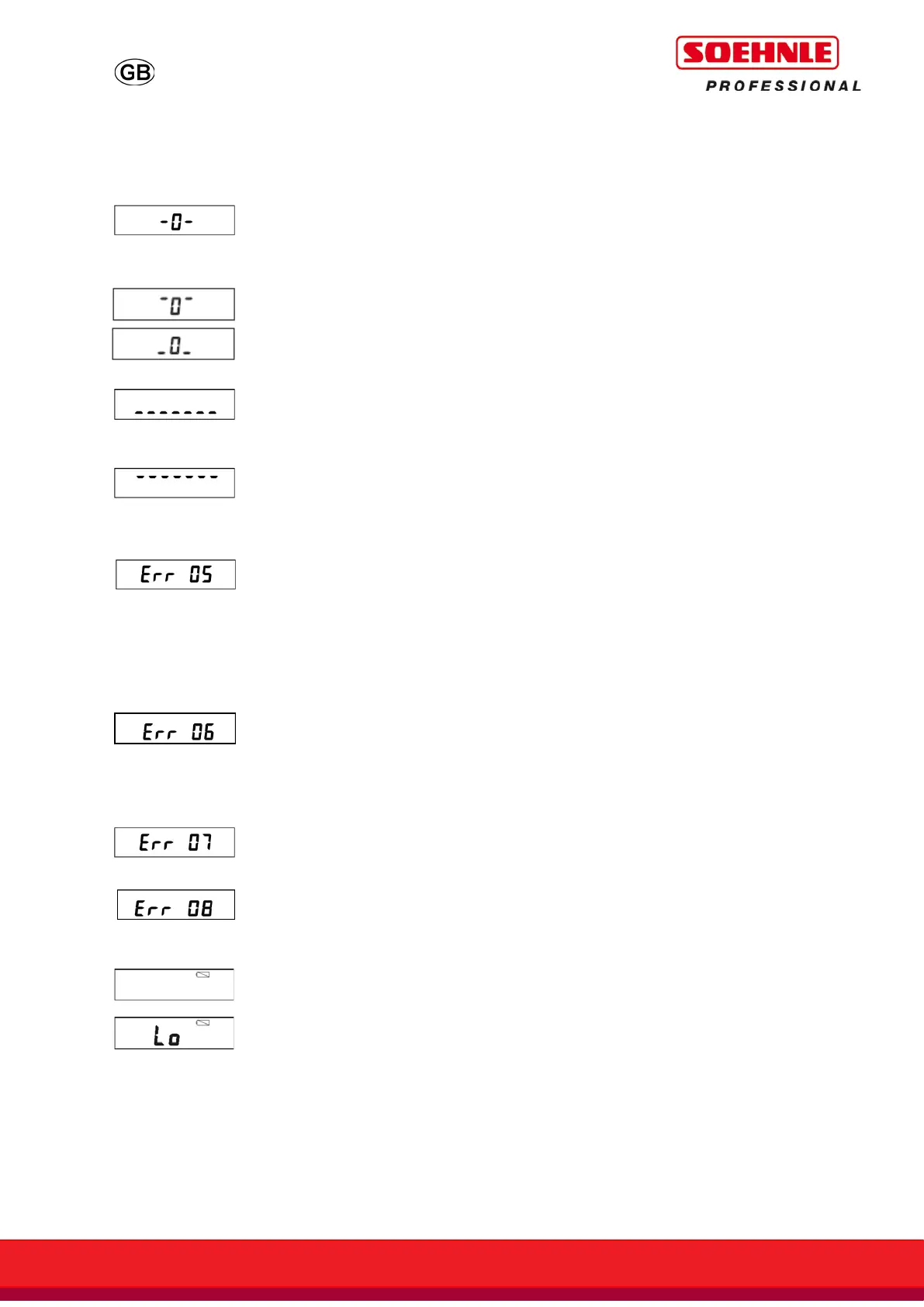
When switched on, the scales are set
automatically to zero. If the scales are
outside of the designed tolerances the
display will show -0-.
Display not reset to 0 when switched on.
Unload the platform. Remove any
dirt if present. If the scales do not
display a zero after a few
seconds, please contact your
service partner.
Underload: only dashes appear at the
bottom of the display field.
Switch off the display. When
switched on, zero point is reset
automatically.
Overload: only dashes appear at the top
of the display field. Maximum weighing
range is exceeded.
Unload the scales, or switch them
off and on again. The zero point
is reset automatically.
Zero setting not possible.
Weight has gone above or below zero
setting limit.
Check the surface under the
scales, and check that the
weighing platform is level. Test
the scales with a force shunt. If
the error persists after
readjustment, please contact your
service partner.
Taring not possible with the scales
unloaded, not yet stabilised, or
overloaded.
Sit still, or stabilise the weight on
the scales or turn off or on with
unloaded scales.
Printing not possible in the case of
underload or overload.
kg/lb switching blocked.
Battery discharged. About 30 minutes
operating time remaining.
Connect the equipment to the
power adapter to recharge.
Connect the equipment to the
power adapter to recharge.
If the fault cannot be cleared, or other error messages appear, please contact your service
partner.



 To Next Page