Soekris Engineering ApS dac1541 Users Manual
www.soekris.dk 5 July 2017
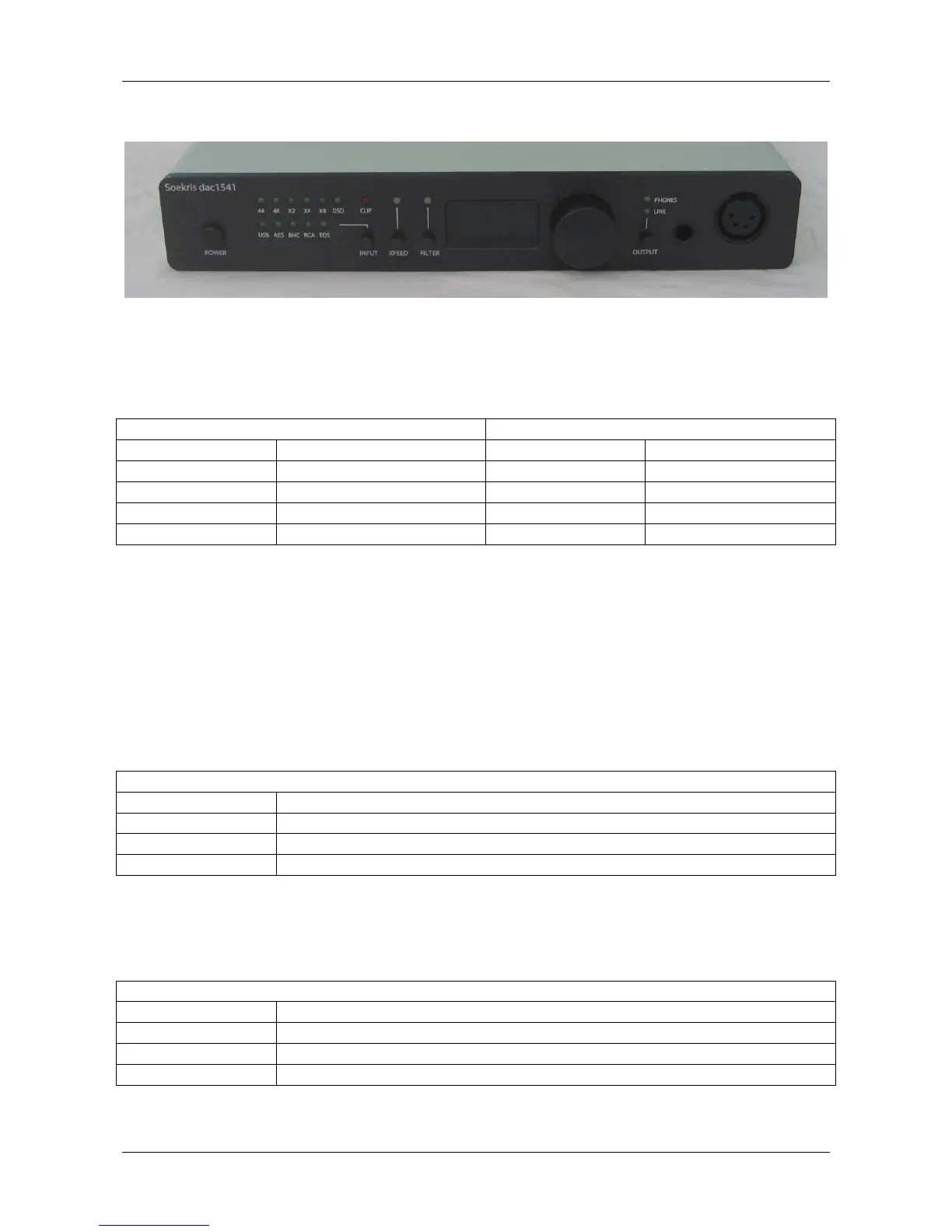
dac1541 front view
“POWER” button: Main power switch.
The LED’s on the front indicates input sample rate, input source, crossfeed setting, anti-aliasing
filters selected, selected output and a clip indicator.
When input is Linear PCM audio
When input is DSD or DoP audio
“CLIP” indicator: Will blink when the DAC output signal is clipping. You should not turn the
volume knob higher than to where the red “CLIP” LED will not blink.
“INPUT” button: Select between the possible input source and an automatic mode, which is the
default at power up.
“XFEED” button: Select the Crossfeed mode for Headphones, it’s only active when using the
Headphones. The Crossfeed function is used to make the stereo image smaller, to make it sound
more like the stereo image from speakers.
“XFEED” LED color shows the current crossfeed mode selected for the headphones
Crossfeed circuit disabled
Small Crossfeed, -12 dB sent to other channel
Medium Crossfeed, -8 dB sent to other channel
Large Crossfeed, -5 dB sent to other channel
“FILTER” button: Select between the different anti-aliasing filters. Hold for minimum 4 seconds
to store the current volume level, crossfeed setting and anti-aliasing filter selection, one setting for
Line Out and one setting for Headphones Out, the filter setting is common for both.
“FILTER” LED color shows the current anti-aliasing filter selected
Linear Phase filter, also called brickwall filter
Mix between Linear and Minimum Phase filter
Minimum Phase filter, also called butterworth filter
Soft Minimum Phase filter, a soft butterworth filter



 To Next Page
 Loading...