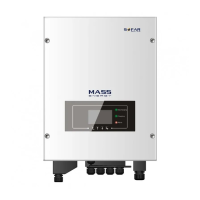
ME 3000SP User manual
Copyright © Shenzhen SOFARSOLAR Co., Ltd
the ME 3000SP / batteries in an airtight or badly ventilated place or cabinet. This
can be very harmful to system performance & system service life.
Keep ME 3000SP / batteries away from direct sunshine. Don’t put ME
3000SP / batteries close to a furnace or fire. The can lead battery to leak even
explode.
The current capacity of DC power cables (from battery to inverter) should be
at least 90A. Use short power cables to avoid high voltage drop & power loss.
Use a multimeter to check the batter voltage & polarity before switching ON
batteries. Make sure connections are correct according to this manual.
If you want to store the batteries without using them, they should be
disconnected from ME 3000SP, and be kept in a cool,dry, and ventilated
environment.
Battery maintenance operators shall have the knowledge and technical skill
for battery maintenance.
All batteries connected in parallel should be of the same model, and have
same firmware version. This is a design issue needs to be considered by designer /
installer, particularly when replacing batteries or modifying an existing energy
storage system.
Warning: Do not disassemble or break the battery. Its electrolyte can be toxic
and damage your skin and eyes.
Warning: follow the following rules during battery. Installation / maintenance.
a) Take off your watch,ring, and other metal objects.
b) Only use tools with insulated handles.
c) Wear rubber gloves and shoes.
d) Do not put tools or metals above the battery.
e) Switch off ME 3000SP & batteries before connecting / disconnecting battery
terminals.
f) Battery positive / negative poles should be isolated from ground.
2.3. Signs on the inverter
There are some symbols which are related to security on the inverter. Please read
and understand the content of the symbols before system installation.



 To Next Page
 Loading...