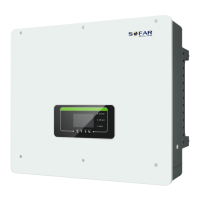
ME3000SP User manual
Copyright © Shenzhen SOFARSOLAR Co., Ltd
81.S1”, press “OK”.
Select “12. Work Mode Set”, press “OK” to enter work mode setting interface.
Select “1. Set Auto Mode”, then press “OK”.
In auto mode, ME3000SP will automatically charge & discharge the battery.
1) PV generation ~= LOAD consumption ( Δ P <
100W), ME3000SP will stay in Standby state.
2) PV generation > LOAD consumption, the
surplus power will be stored in the battery.
3) When the battery is full(or already at Max
Charge Power), excess power will be exported
to the grid.
4) PV generation < LOAD consumption,
ME3000SP will discharge the battery to supply
power to load,


 To Next Page
 Loading...