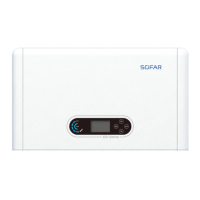
SOFAR 3.3~12KTLX-G3 User manual
Copyright © Shenzhen SOFARSOLAR Co., Ltd.
Set the address (when you need to monitor multiple inverters simultaneously),
Default 01.
8. Set Input mode
SOFAR 3.3~12KTLX-G3 has 2 MPPT circuit, each MPPT circuit can work
interdependently, or divided into parallel mode. User can change the setting
according to the configuration
9. Set Language
Set the inverter display language.
10. MPPT Scan
Shadow scanning, when the component is blocked or abnormal, causing
multiple power peaks, by enabling this function, the peak point of maximum
power can be tracked.
11. Logic interface
Enable or disable logical interfaces. It is use for below standard Australia
(AS4777), Europe General (50549), German (4105)
12. Set Power Ratio (The country is set at 10)
Set generation ratio.
(B)Event List:
Event List is used to display the real-time event records, including the total
number of events and each specific ID No. and happening time. User can enter
Event List interface through main interface to check details of real-time event
records, Event will be listed by the happening time, and recent events will be
listed in the front. Please refer to below picture. Long press the button and
short press the button to turn the page in standard interface, then enter into “2.
Event List” interface.
001 ID04 06150825
(Display the event sequence number, event ID
number, and event occurrence time)
(A) “SystemInfo” Interface as below



 To Next Page
 Loading...