16
SPOTTER
Activate Spotter in RUN mode
Switch Spotter ON and ensure device is in RUN mode. Ensure both SYSTEM
and GO LEDs are green after ~10 minutes with clear view of the sky.
Please note that both LEDs timeout after 60 minutes to save power. After 60
minutes you can see that the system is in RUN mode from the ashing of the
visibility LED.
Carefully secure lid
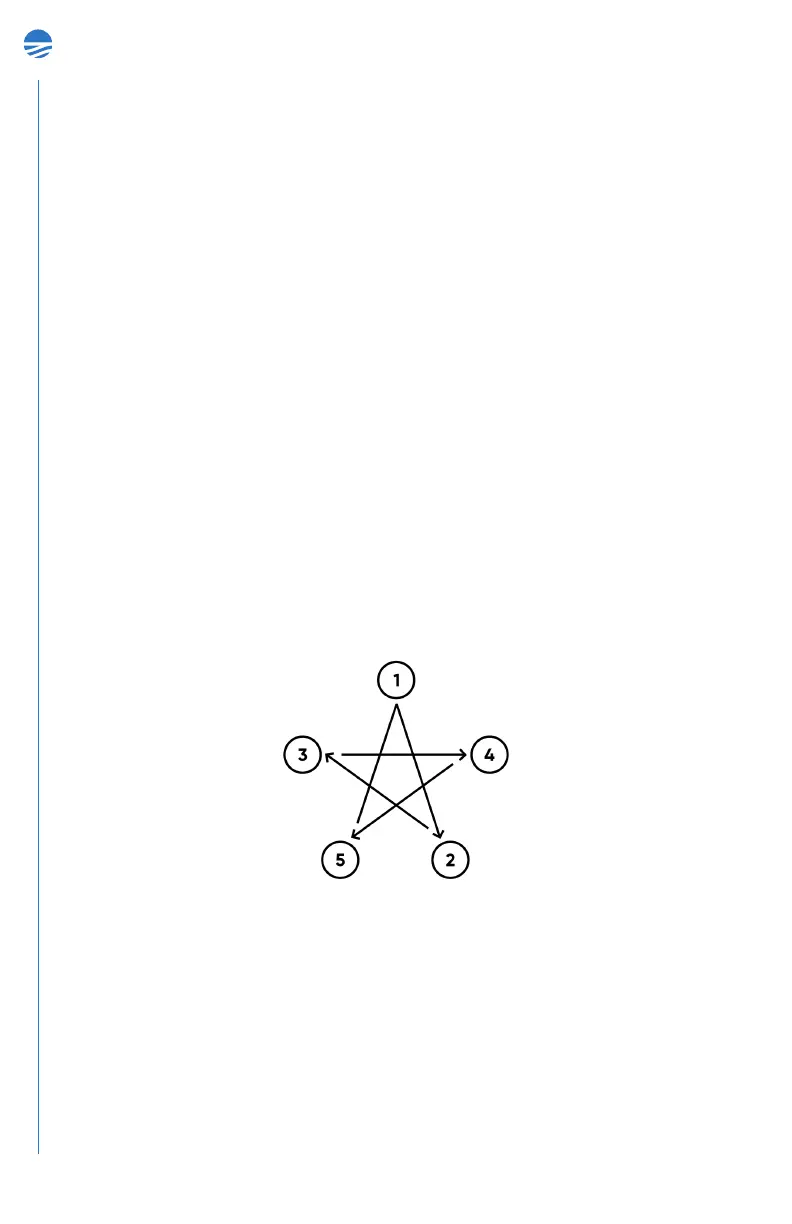
Secure the lid using a 5 mm hex key and hand-tighten the 5 captive screws
using a star pattern. The captive screws will bottom out to avoid over-
tightening them.
Note on mooring design: Sofar Spotter can be deployed either as a free-
oating drifter or in a moored conguration. For free-oating deployments,
the Spotter device comes with everything required to deploy. For moored
applications, you will need to design a mooring to anchor the Spotter to the
seaoor. Sofar provides some general guidelines based on our experiences.
Sofar does not sell moorings, but since we do build moorings for our own
Spotters, we share what we have learned from our own testing and from other
users. Visit www.sofarocean.com to read our mooring guidelines.
Deploy Spotter in the water
STEP 03


 To Next Page