Connection Diagram
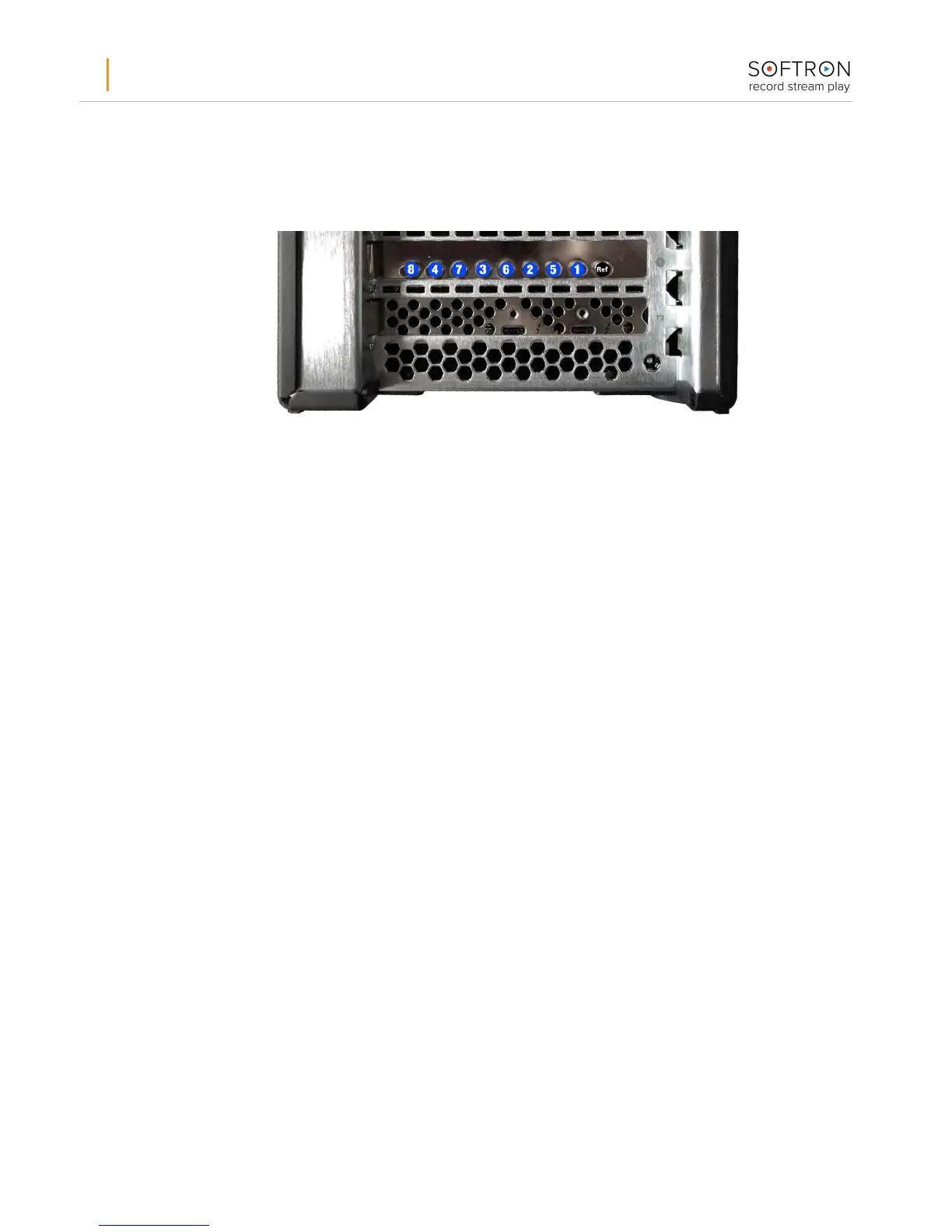
The M|44X has nine 75 Ohms, DIN 1.0/2.3 connectors, one for the reference input, and eight
video in or out as shown in the following diagram (only valid if you changed the “Connector
Mapping” as explained above).
You can use the connectors the way you want, but if you use connector 1 with MovieRecorder,
you won’t be able to use it in OnTheAir Video Express and it will show a log that the "device is
busy".
Start MovieRecorder and OnTheAir Video Express
After you have connected the device, cabled it, installed the drivers and applications, you are
ready to use your device. You can find additional information on how to use our applications
on our website. At the bottom of the MovieRecorder and OnTheAir Video Express pages, you
can find the “Resources” section. Also the Help Center of our support desk can provide a lot
of useful information: https://softron.zendesk.com/
Add options or licenses to the dongle
If you need to add options to MovieRecorder you can order them and we’ll send you by email
an upgrader for your dongle. Dongles can hold up to 20 licenses, so if you order an additional
license, we can also send an upgrader for your dongle. Can be pretty useful if you need for
example Multicam Logger and OnTheAir Video Express to run on the same computer.


 To Previous Page
 Loading...