
 Need help?
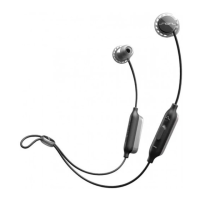
Do you have a question about the SOL Republic relays sport wireless and is the answer not in the manual?
Details headset charging and identifies key operational buttons and ports.
Enables connecting the headset to two devices simultaneously for music and calls.
Instructions on how to switch audio playback between connected devices.
Procedure to disable the dual device connection feature.
Guide to understanding headset status indicator light signals.
Procedure for performing a factory reset and its consequences.
Resources and contact methods for customer support and inquiries.
 General
| Headset type | Binaural |
|---|---|
| Product type | Headset |
| Product color | Grey, Lime |
| Wearing style | In-ear |
| Volume control | Digital |
| Recommended usage | Sports |
| Buttons quantity | 3 |
| Bluetooth | Yes |
| Connectivity technology | Wireless |
| Ear coupling | Intraaural |
| Microphone type | In-line |



 To Next Page