Electrical Connection
Electrical Connection
68
69
Ø WiFi connection diagram
Router
Ø Wireless monitoring accessories connection steps
SolaX Cloud
5.7 Monitoring Connection (Accessories)
D
ong
l
e/U
p
g
r
ade
Dongle/Upgrade
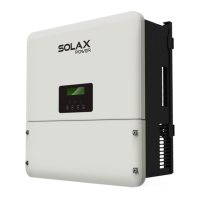
Step 1. First find the DONGLE port of the inverter.
The inverter provides a DONGLE port, which can transmit data of the
inverter to the monitoring website via Pocket WiFi Plus, Pocket 4G, Pocket
GPRS, and Pocket LAN. (If necessary, purchase products from SolaX)
Please check the Pocket WiFi user manual/Pocket LAN user
manual /4G user manual.
U
pgr
ad
e
/D
o
n
g
l
e
Step 2. Plug Pocket WiFi into the DONGLE port.



 To Next Page
 Loading...