
 Need help?
Do you have a question about the Soliom S100 and is the answer not in the manual?
Provides contact details, registration link for extended warranty, and support information.
Details on 2.4G Wi-Fi, Wi-Fi extenders, and optimal distance for pairing.
Guidance on sunlight exposure for charging and recommended installation locations.
Instructions for formatting SD card and charging the camera before setup.
Information on PIR range, recommended installation height, and motion detection focus.
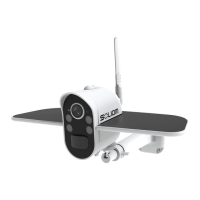
Illustrates the camera's parts and bottom interface with labels.
Steps to charge the camera using the USB cable and its duration.
Details on SD card formatting, compatibility, and insertion process.
Lists all items included in the camera package.
Instructions for downloading the SOLIOM+ app and granting necessary permissions.
Guide to creating a user account with email and password for the app.
Steps to define the camera's location within the app for proper functioning.
Connecting the phone to 2.4GHz Wi-Fi and installing the camera antenna.
Detailed steps for pairing the camera using QR code or sound wave configuration.
Procedure for pairing the camera using the QR code scanning method.
Procedure for pairing the camera using sound wave technology.
Tips and steps to resolve common problems during camera pairing.
How to grant access to the camera for multiple users with different permissions.
Instructions for unbinding the camera and switching to night vision mode.
Configuring push notifications and understanding cloud storage options.
Ensuring good Wi-Fi signal strength for optimal camera performance.
Guidance on the optimal height for installing the camera for motion detection.
Steps for marking holes, drilling, and fixing the mounting bracket to the wall.
Details image quality, lens, video format, storage, and communication protocols.
Explanation of LED lights indicating camera status like pairing, network, and activity.
How to access and view live video feeds from the camera in the app.
Tips for maintaining Wi-Fi strength and understanding battery charging indicators.
Instructions on sharing camera access and managing permissions for multiple users.
Explains icons for settings, spotlight, full screen, recording, and audio.
Guide to configuring SD card settings, including formatting for optimal use.
Options for adjusting scene modes and PIR detection sensitivity for different environments.
Setting the duration for motion detection recordings and video lengths.
Configuration of LED indicators and selection of power frequency (50/60Hz).
Instructions on how to rename the camera within the app for easier identification.
Explains how videos are saved in Cloud Storage, SD card, and mobile phone album.
Guide to purchasing and managing cloud storage services for the camera.
Adding friends, checking shared accounts, and modifying permissions.
Configuration for sound, resolution, alarm vibration, and talk voice.
Information on how to contact customer support for assistance.
 General
| Brand | Soliom |
|---|---|
| Model | S100 |
| Category | Digital Camera |
| Language | English |

 To Next Page