04
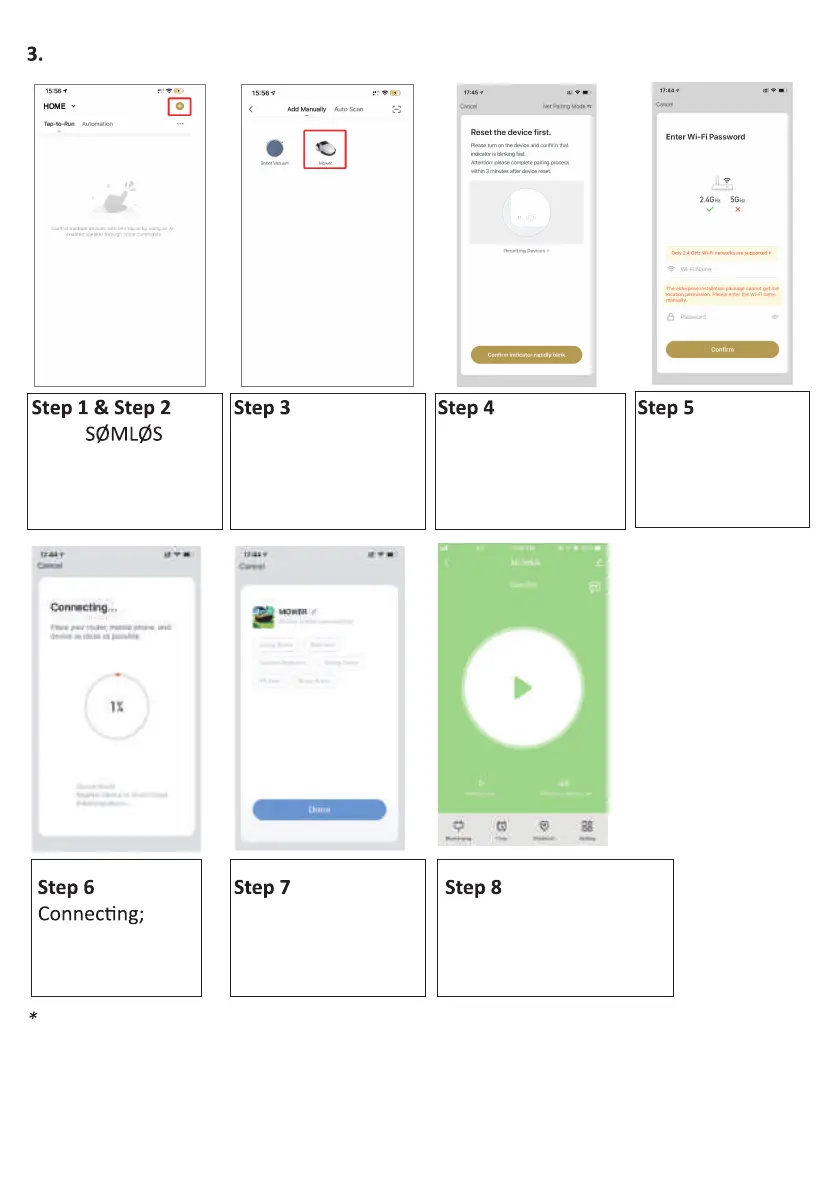
Open APP,
sign up and login;
Then choose to add
device;
Find "Small Home,
then select "Mower"
under this category;
Open APP and select the "Add device". See images below.
Ensure the Wi-Fi
indicator light is
now r
password according
to your setup;
Mower connects
will be prompted to
success
Notice: If your mower fails to connect to your wifi , do the following steps
1) Reboot your mower (Turn OFF then back ON again)
2) Make sure that you have entered your wifi password correctly
3) Make sure that your wifi 's network frequency is 2.4G
4) Do a speedtest to check if your wifi speed is strong



 To Next Page