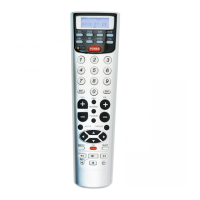
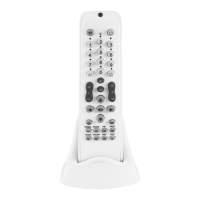
universal remote control
GB
Using a pre-programmed universal remote con-
trol is a quick and simple solution for replacing
lost, broken or malfunctioning original remote
controls. As it can replace 10 remote controls
at the same time, you can simultaneously control
your TV set, video cassette recorder, satellite
receiver, stereo system etc. without having to hold
several remotes in hand.
Due to its nature, its primary purpose to
operate the most indispensable basic functions,
which means that in some cases you may not be
able to access some extra functions offered by out-
standingly sophisticated devices.
Code setting by brand
If you can find the brand and the type of the device
(TV, VCR, satellite receiver etc.) in the enclosed list,
you can enter the operating code directly.
1. Find the brand of your device and the corre-
sponding three-digit code (e.g. Aiwa TV set:
261)
2. Turn on the TV set or other device manually.
If you are using a VCR then also insert a
cassette.
3. Press and hold the SET button then press
the button corresponding to the type of
device you want to control: TV: television / VCR:
video cassette recorder / AUX: stereo
system / SAT: satellite receiver
4. Release all buttons as soon as the red LED
located next to the SET button goes on.
5. Enter the selected three-digit code within 10
seconds. If the code is valid, the LED goes out.
If the code you entered is invalid (e.g. 777), the
LED will stay on after two rapid flashes. You can
now re-enter the code.
6. Direct the remote control toward the device
you have previously turned on, and try if it
operates the device.
7. If the remote control operates the device but
there are other codes associated with the
chosen brand, try these other codes as well.
The best choice is the code which operates the
most functions properly (that is, most buttons
perform the functions written above them).
In some cases, codes associated with other
brands may also be used. The easiest way to
find out whether that is the case is to use the
quick search function.
Code setting by quick search
If you cannot find the brand name of the device
you want to operate in the detailed list, or if you
can find the code but it fails to provide optimal
performance*, you may still be able to use the
remote control. In such cases use the quick search
function to determine what other codes may be
used to operate the device. You can move through
all entered codes one by one.
1. Turn on the TV set or other device manually.
If you are using a VCR then also insert a
cassette.
2. Press and hold the SET button then press
2



 To Next Page
 Loading...