SONARCOM ALL IN APP Pagina 9
Operating the APP: GOOGLEMAPS
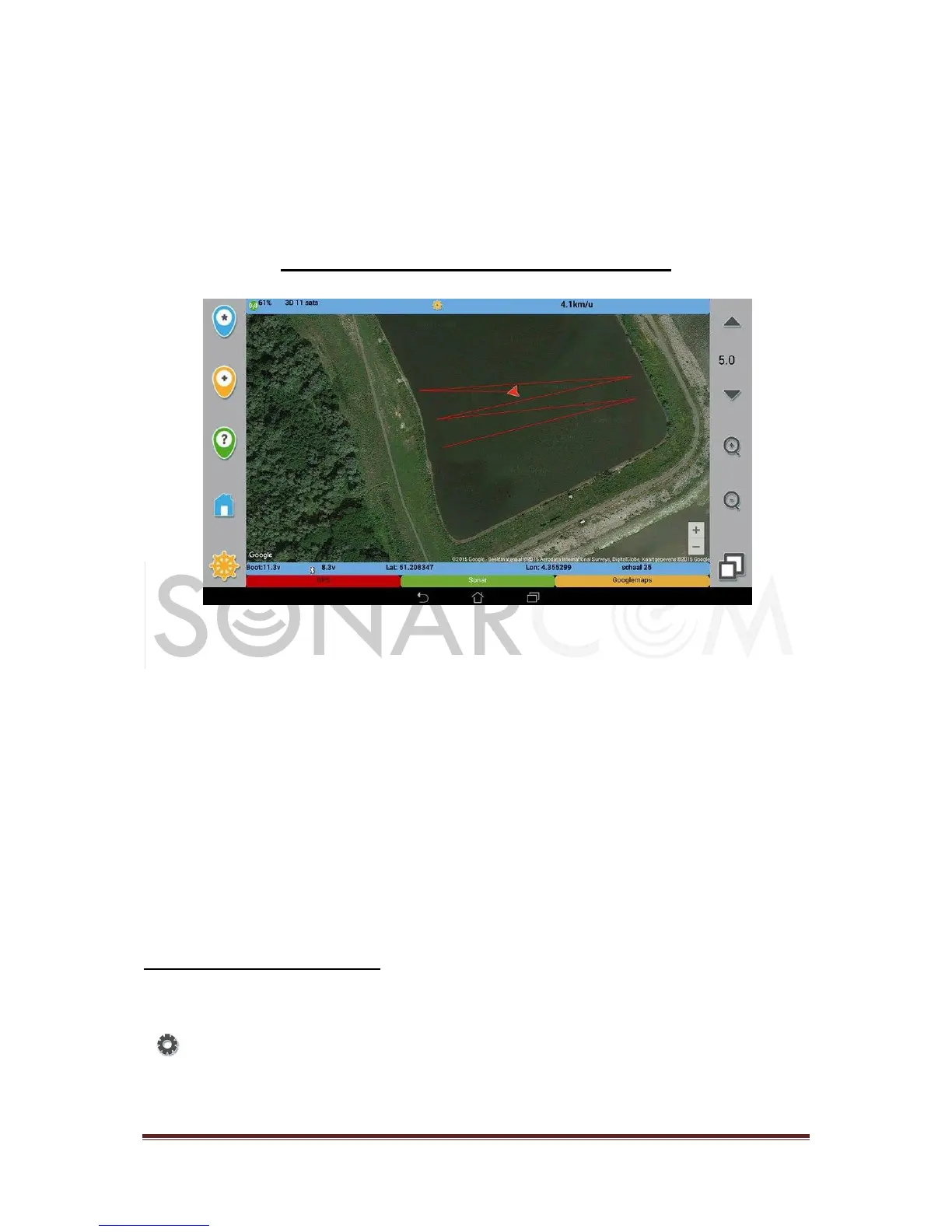
With Google maps you have a great tool to observe the boat position, and to add
new spots directly from screen. This is a big advantage when you are making a
bathimetric record for 3D-mapping.
Add a new spot: Long press on the screen location, till you got the confirmation
message.
Note: SaveSpotGoogleMaps should be ON in the googlemaps settings
Load a spot: click on an already saved spot and it will be loaded after confirmation
Make a route list: click on a spot and select ‘route’ (‘parcours’). A route list will be
build from the boat position. The boat will go from spot to spot, specially for building
3D maps.
Note 1: you can also add a spot without saving it first. No marker will be placed, but the route position
will be inserted.
Note 2: The constructed route will be lost when the app is closed. It isn’t saved on disk!
Googlemaps settings menu:
A long click on the Googlemaps mode button, in the bottom bar of the screen, will
open the googlemaps settings menu with following items:
Save googleSpots: To avoid adding spots, you can disable this feature
Google Maps Terrain, Satellite, Normal: 3 modes of Google maps can be selected



 To Next Page
 Loading...