SONARCOM ALL IN APP Pagina 2
Operating the APP: GPS
Mode selection:
Each mode (GPS / SONAR / GOOGLE MAPS) can be accessed by short click on the
mode bar on the bottom of the screen. Long click on each mode will give the
adjustment menu for that specific mode.
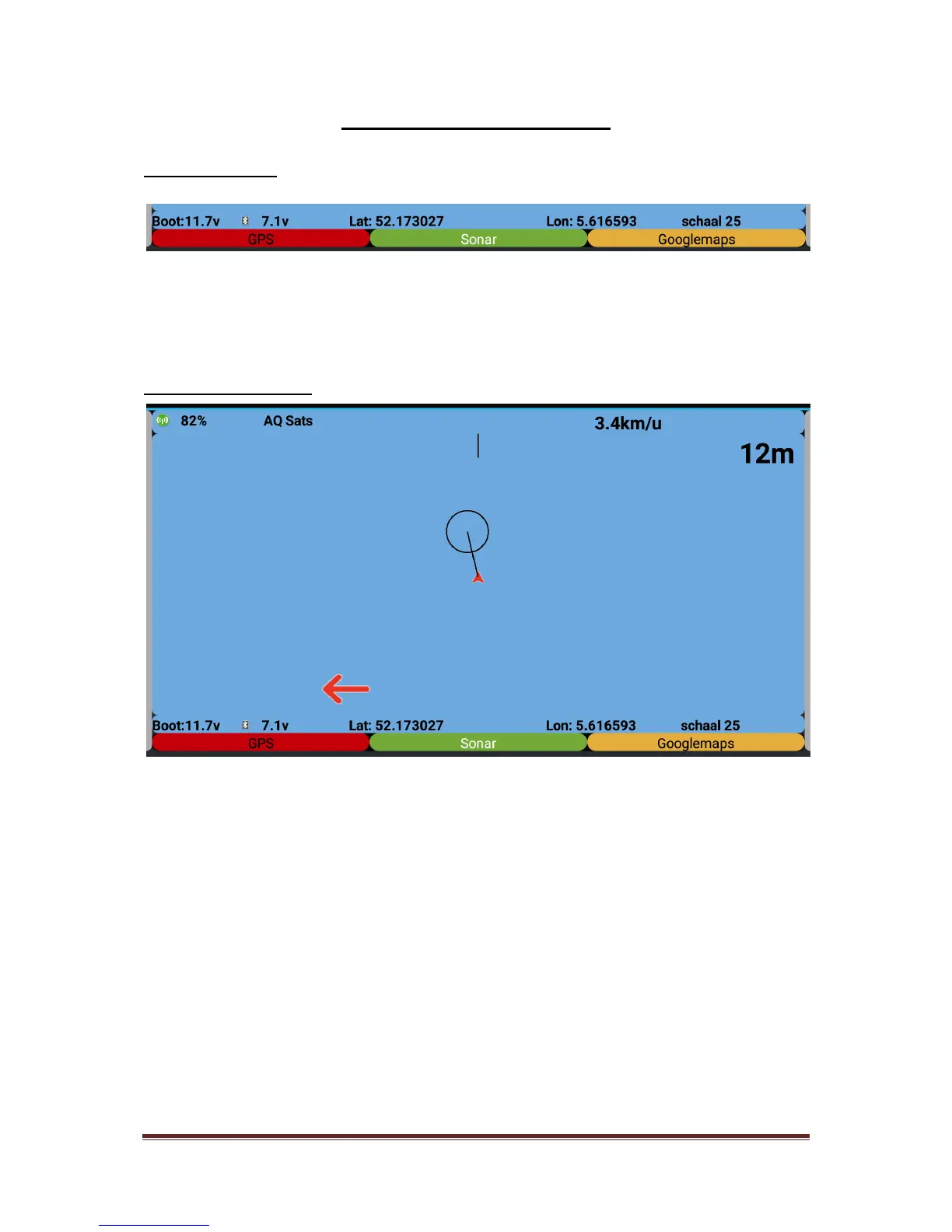
The plotting screen:
Indicated on the screen from upper left till bottom right….
RF field indication, showing the received signal strength
Information about the actual number of satellites insight
The actual boat speed in km/hours
The distance to the spot in meters
The actual voltage of your baitboat battery (alarm settings possible)
The battery voltage of the Bluetooth receiver on the shore (alarm
setting possible)
The actual latitude/longitude GPS position/coordinates of the
baitboat
The scale of the display
All these indicators will be displayed in the Google Maps mode



 To Next Page