SONARCOM ALL IN APP Pagina 7
Left Handed/Right Handed. The Gps/Sonar icon bars can be switched.
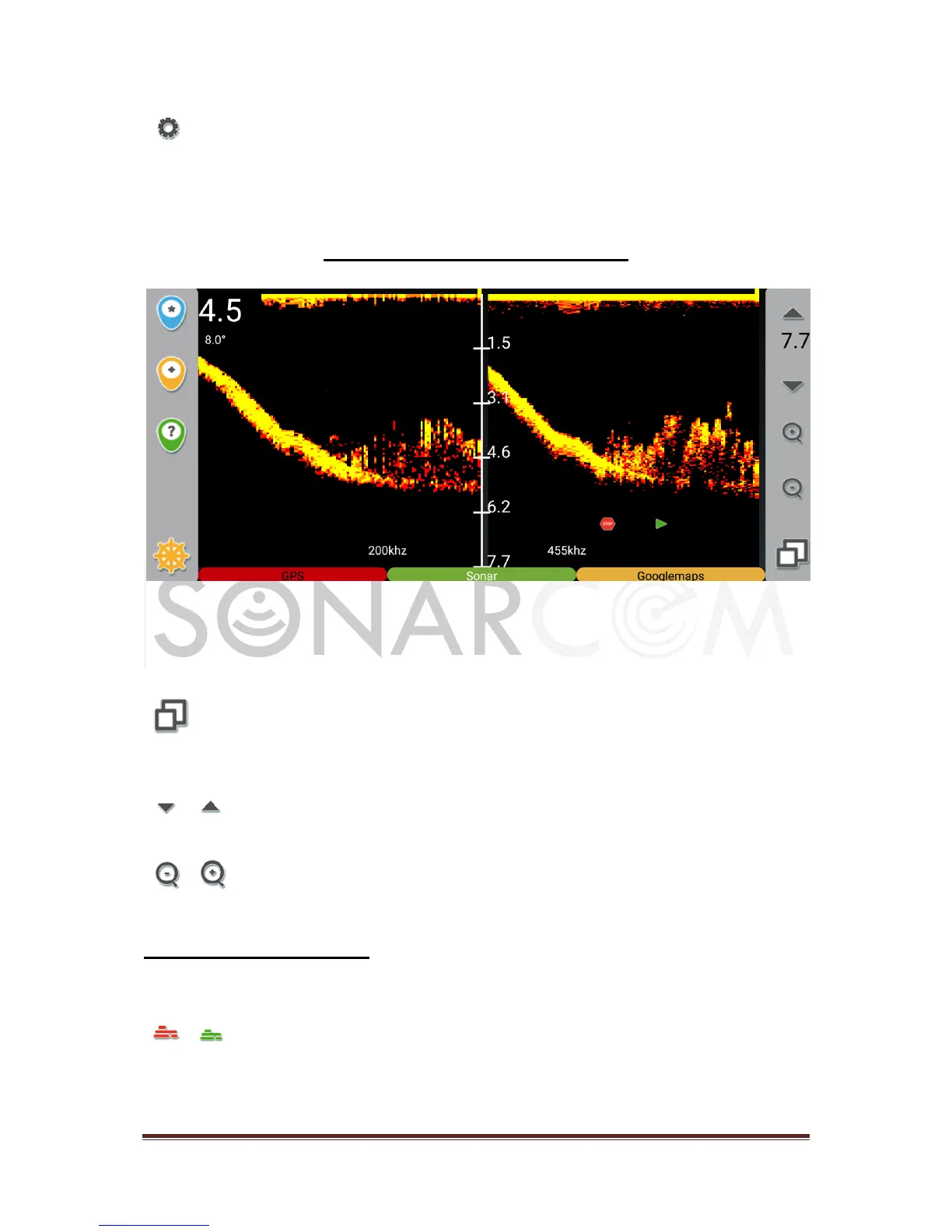
Operating the APP: SONAR
Depending on your choice of package will have a 200 and/or 455 kHz sonar. The
sonar screen has 3 modes: 200kHz full screen, 455kHz full screen and the dualscan
screen with 200 and 455 kHz side by side.
Switch between 200kHz full screen / 455kHz full screen / 200+455kHz dualscan
screen.
Click to adjust the depth rande up or down.
Click to zoom in/out on the plot.
SONAR settings menu:
A long click on the SONAR mode button, in the bottom bar of the screen, will open
the SONAR settings menu with following items:
Bottom Fill: On/off will give a track over ground, the bottomline will be filled up.
(Only on 200khz plot)



 To Next Page