USE
Warning! Never use the fan without the guard in place or if the guard is damaged.
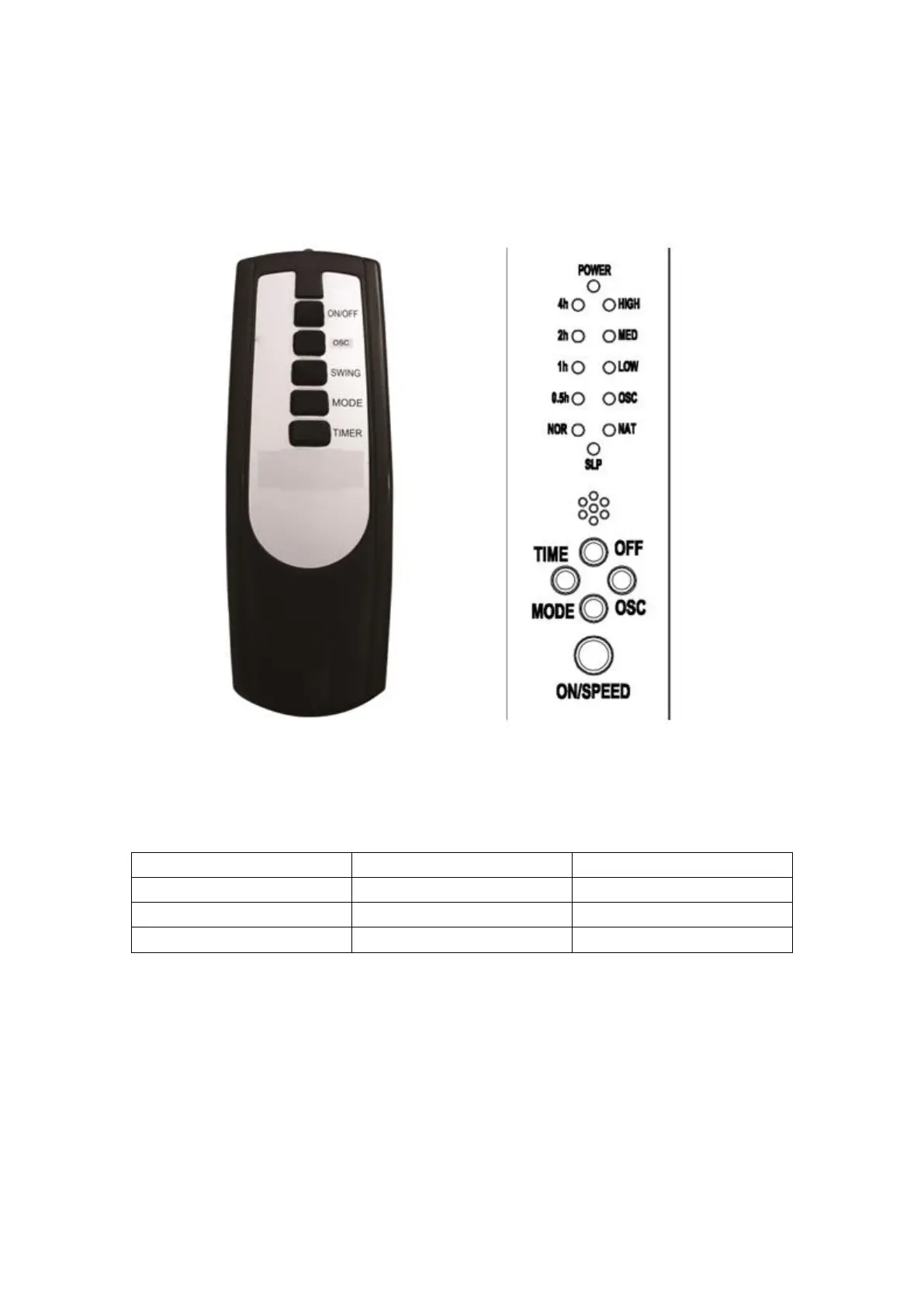
Note: All controls can be operated from the fan unit or from the remote control.
Switching on and off
Your fan has four speed control to keep the desired air flow through your room.
To switch on, press the “ON/SPEED” button the required number of veces to set the desired
speed. The fan will start.
To switch off, press the “OFF” button.
Oscillation
The fan can oscillate when in use to circulate air around a greater area.
Press the “OCS” button to start oscillation.



 To Next Page