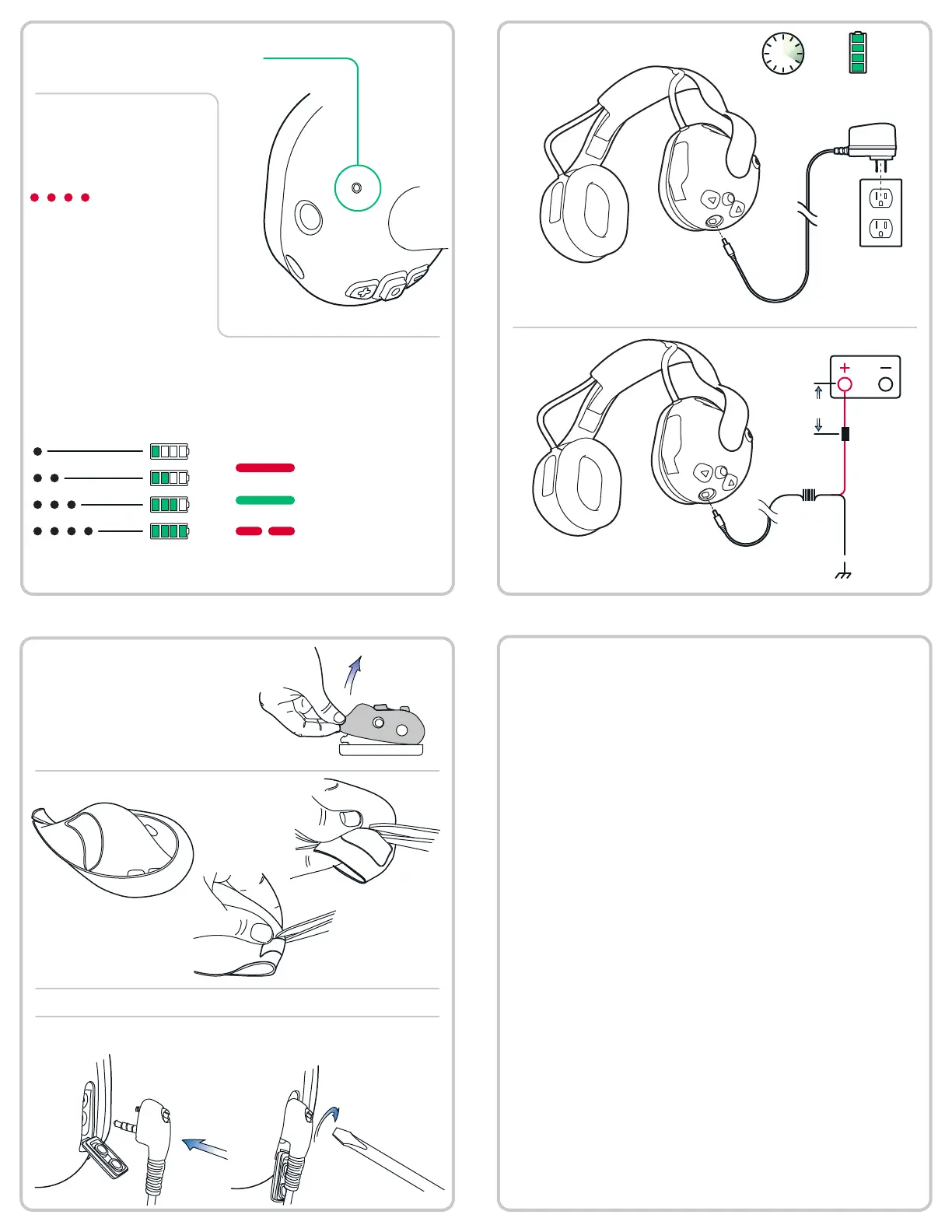
Headset charging
Vehicle wiring
4hr 24hr
BLACK
1.5A Fuse
RED
18” MAX
Use only supplied adaptor.
Status LED functionality
On
Battery Level
Connection Status
Charge Status
Battery level and connection status are
both shown with the status LED.
Number of pulses indicates
battery charge level.
When powered on, the
color of the LED ashes
indicates connection satus.
When plugged in, the color of the
LED indicates charge state. Slow
ashing indicates a charge fault.
LED color will vary depend-
ing on connection type.
Charging
Charge fault
Fully charged
For rst use:
Connecting a 2-way radio
1: Remove ruggedizer.
3: Replace ruggedizer.
4a: Open cover and plug in. 4b: Screw on connector.
B.
C.A.
2: Cut along groove with sharp scissors.
Section intentionally left blank


 To Previous Page