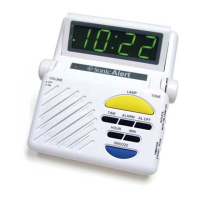
Setting the correct time –
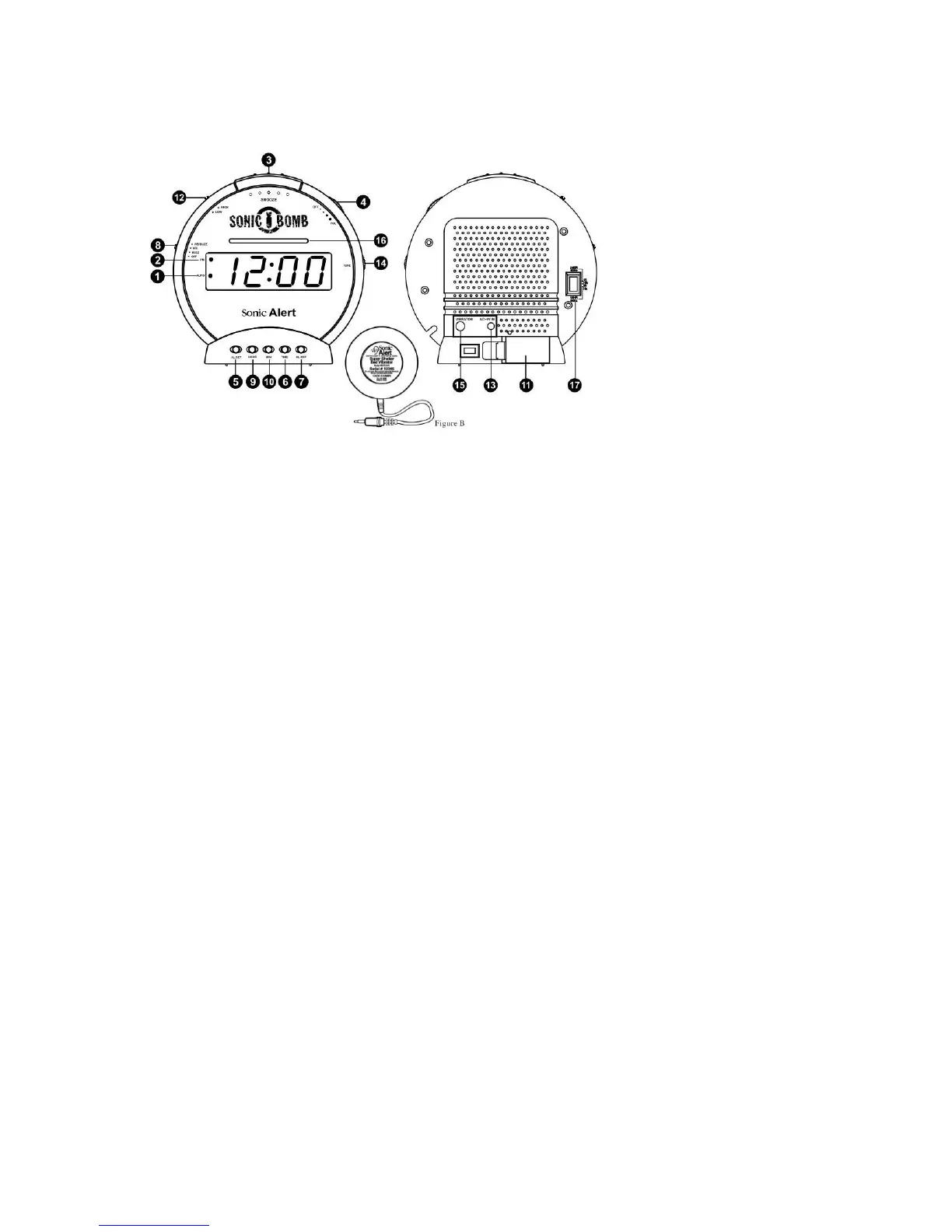
1) Press and hold the Time Button (6) at the same time press the Hour Button (9) to
advance the clock display rapidly until the hour is correct.
2) Press and hold the Time Button (6) at the same time press the Minute Button (10) to
advance the clcok display rapidly until the hour is correct.
A lighted dot (20 in the upper left of the clock display indicated the time is PM. Foe
AM time indication, there is not lighted dot.
Setting the alarm time –
1) Simply follow the instructions mentioned under “Setting the correct time“ except that
you will have to press the Alarm Button (50 instead of the TIME Button.
2) Make sure the alarm time is correctly set for AM or PM, the lighted dot (2) indicated
PM. Be sure to release the HOUR and MIN set buttons before releasing the ALARM
button.
Waking to Alarm –
1) Set Function Switch (8) to choose „VIB“, „BUZZ“ or „VIB / BUZZ“.
2) Set desired volume (4) for buzzsound.
3) Set alarm wake time per instructions for setting alarm time above.



 To Next Page