6
Operating Guidance
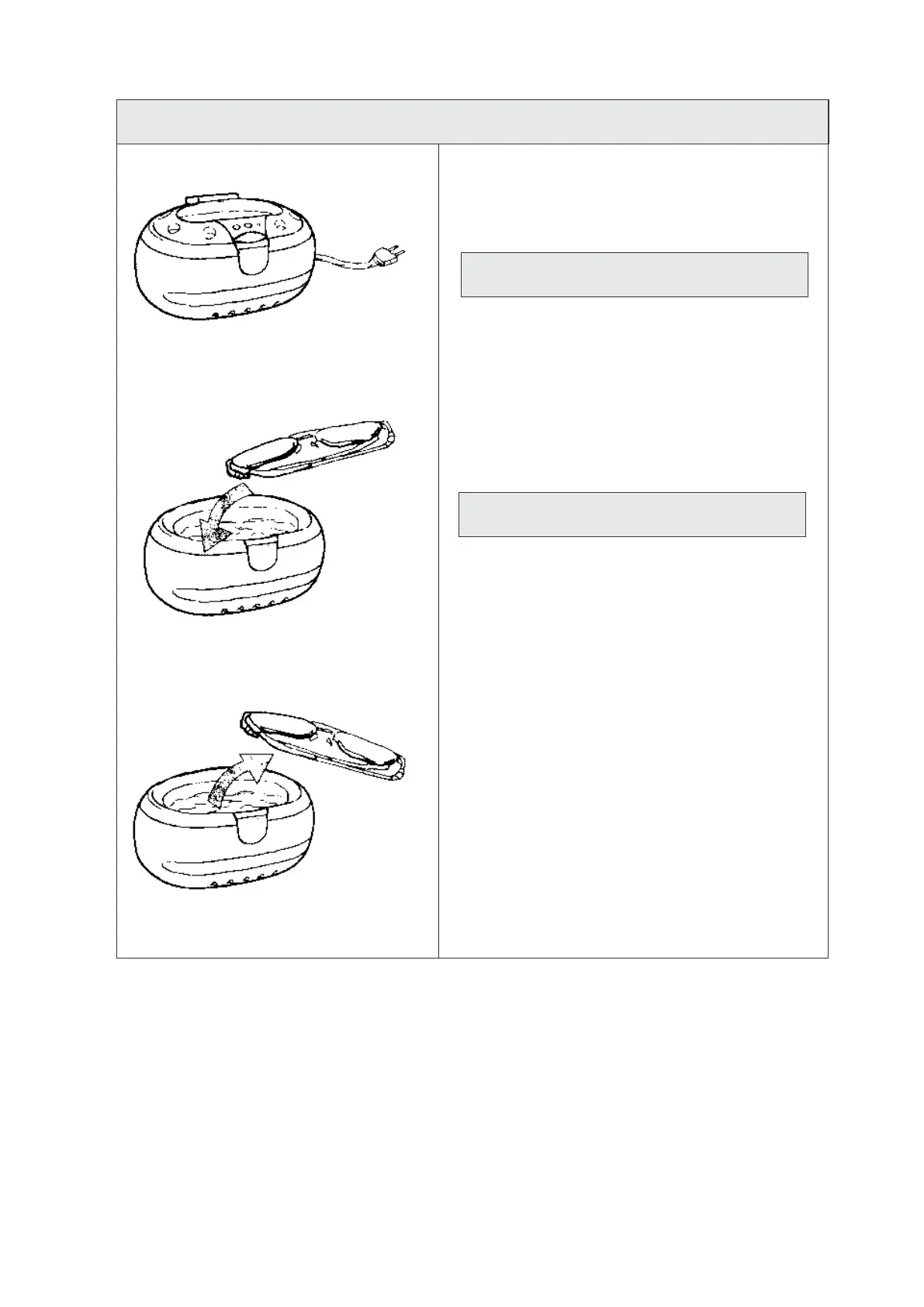
Open the upper cover, put the article into
the tank, then fill with water. (The water should
not merge the article but not exceed the ruling
mark.)
Running without water can damage the unit!
Close the cover. Connect the unit with power.
The Power Indication Light (Blue) on the inner
cover will be on.
Press ON to start cleaning and the Working
Indication Light (Red) on the upper cover
will be on.
During cleaning, the “ZiZi” noise is normal,
which comes from tank working.
After 3 minutes, the cleaning automatically
stops and the Red light turns off. Or press OFF
to stop. For another cleaning cycle, just repeat
above process.
When cleaning is over, cut off power. Open the
cover, take the cleaned article out and drain
the water.
1.
2.
3.
4.
5.


 To Next Page