User’s Guide
This document is the property of Sonostar Inc. Any unauthorized reproduction is prohibited
Page 2
Welcome
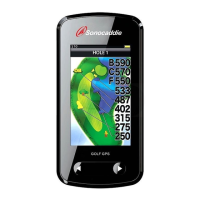
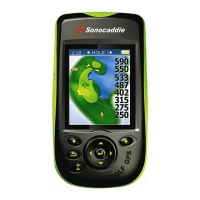
Congratulations on purchasing the Sonocaddie V300. It is the easiest and most advanced golf GPS
device available today with its intuitive and user-friendly design that includes many helpful
functions and multiple ways of navigating. This User’s Guide provides you with simple to
understand instructions for operating your new golf GPS. Please read the entire User’s Guide to
fully understand exactly how each feature operates. To learn more about Sonocaddie, please visit
www.sonocaddie.com.
The Sonocaddie V300 serves as your own personal golf caddie guiding you through each hole on
the course to get the precise distance information for you to play your best. Using sophisticated
GPS satellite technology, the V300 determines the distance from any point on the course to the
green and other strategic targets, even without a clear line of sight like all golf laser range-finders
require. All you have to do to get this valuable information at your fingertips is download a
particular golf course that you plan to play into the V300 from the Sonocaddie website using your
computer.
Accessories: You should have received the following items with your Sonocaddie package:
Sonocaddie V300, Mini USB Cable, Rechargeable Battery, User’s Guide, Belt Clip, AC Charger
Wall Adaptor, and Carry Pouch.
Important Notice: Please read and follow the guidelines below. Failure to do so may result in
misuse of the equipment and may be dangerous or illegal. Should you experience any problems
with your Sonocaddie (e.g. malfunction/damage), please contact Sonocaddie Customer Service at
www.Sonocaddie.com. Do not attempt any repairs on your own as this may void the warranty.
Warnings:
¾ Sonocaddie performs best under a clear sky and with six satellite signals. Environmental
factors (such as rain, dense clouds, fog, solar flares, high voltage electricity, cellular phone
towers, etc.) may adversely affect the GPS reception. If the device is indicating less than six
satellite signals, the Sonocaddie performance may not be optimal until the conditions change
for better reception.
¾ Sonocaddie should not be used while driving any vehicle including golf carts. Always place
Sonocaddie in a secure place to avoid any impact which could cause damage to it.
¾ The USB cable provided is solely for the use of Sonocaddie devices (see the accessory list).
Do not connect any other cable for data transfer as this could damage the data port (I/O port)
on the V300.
¾ A full battery charge may take up to four hours, however, you should NOT charge device over
8 hours.
¾ If you do not plan to use the device for a long period of time, please remove the battery to
avoid the battery leaking and corroding the battery case.
Cautions:
¾ The Sonocaddie may take at least 10-15 minutes to receive satellite signals after you turn it on.
This may take longer if the devise has been off for more than four hours, or if it is more than
100 miles away from where you last used the Sonocaddie.
¾ The Global Positioning System (GPS) is operated by the government of the United States,
which is solely responsible for its accuracy and maintenance. The system is subject to changes
which could affect the accuracy and performance of all GPS equipment.
¾ Sonocaddie has a built-in GPS antenna at the top of the device. This antenna should face


 To Next Page