English
4. Add ZBMINI Extreme to the ZB Bridge
>
ZB B ridge
Add ed:0
No c hild d evice ,plea se add .
Add
Conne ct ing
Kee p the d evice close
eno ugh to the hu b.
Add Devic e
1 device Found
Loo king f or dev ice
135s
Open eWeLink App, tap “Add” icon on the ZB Bridge interface, then wait to looking for and
add the sub-devices.
Pair with Amazon Echo
1. Download the latest Amazon Alexa App and pair it with Amazon Echo with built-in
Zigbee hub.
3. Ask the Alexa Echo to discover the devices automatically by saying“Alexa, discover my devices”.
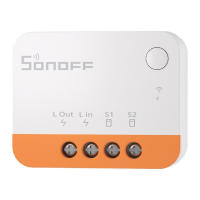
If failed to pair within 3mins, ZBMINI Extreme will exit the pairing mode. Long press the button
on ZBMINI Extreme for 5s to make it enter the pairing mode if you need to pair again.
10
2.
Thedevicewillremainoffandcannotbecontrolledbythedevice'sbuttonorexternalswitch
whenitisinpairingmode.
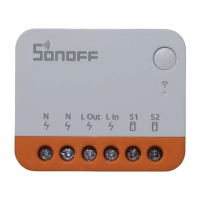
Power on ZBMINI Extreme, then it defaulted to enter the pairing mode and the green LED
indicator “flashes slowly”.


 To Next Page