This is the Internet version of the user's guide. © Print only for private use.
67
Connectivity
To send an item
1
} Phonebook
and select a contact, when
contacts is default phonebook,
More
.
2 } Send contact
} Via Bluetooth
. The phone
searches for devices.
3 Select the device you want to send the item
to and press
Send.
To receive an item
} Connectivity
} Bluetooth
} Turn on.
When you receive the item, press
Save to save it.
Infrared port
You can use the infrared port to establish contact
between your phone and a PC or another device
equipped with an infrared port. You can, for example,
synchronize calendar items,
%
63 Synchronizing,
and send items such as pictures and contacts.
To turn the infrared port on
} Connectivity
}
Infrared port and select
On
. Select
10 minutes
to turn on infrared for 10 minutes only.
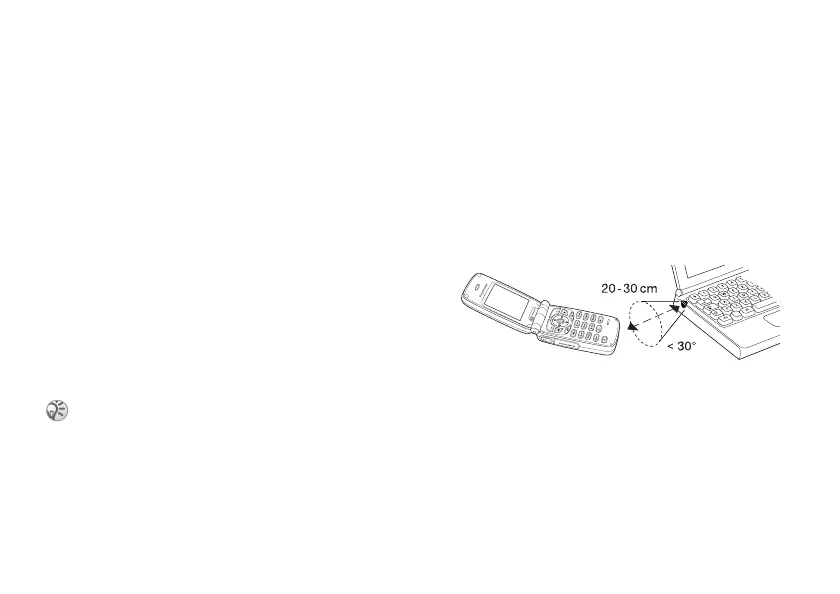
To connect two devices
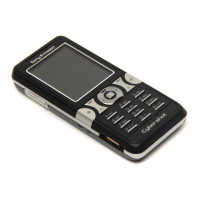
1 Place your phone as in the picture. The infrared
port on the phone must face the infrared port
on the other device.
2
Your phone now establishes contact with the
other device.
.
To send an item using the infrared
port (example: a contact)
1 Make sure that the infrared port of the other
device is on.
} Phonebook
and select a contact,
when contacts is default phonebook,
More
.
2 }
Send contact
} Via infrared
.
If you are connecting to a PC, make sure your PC
has activated infrared communication (
Start
}
Settings
}
Control Panel
}
Infrared
}
Options tab
}
Enable infrared
communication
).






 To Next Page