2
This is the Internet version of the quick guide. © Print only for private use.
Outline
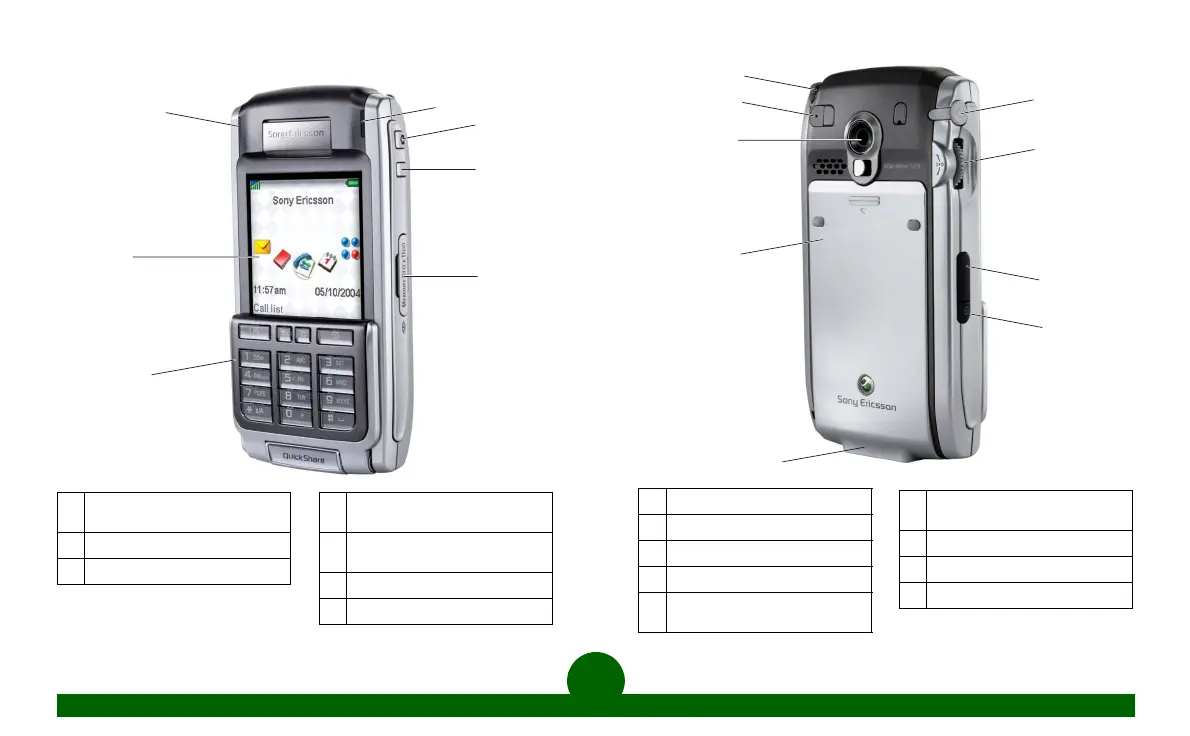
A
Blue indicator light for
Bluetooth wireless technology
B
Screen
C
Flip with keypad and keyboard
A
B
C
D
F
G
E
D
Green/red indicator light for
network and battery
E
CommuniCorder activation and
shutter release button
F
Internet activation button
G
Memory Stick Duo™ Slot
H
Stylus
J
External antenna connector
K
CommuniCorder lens
L
Battery compartment
M
Connector for accessories and
battery charger
H
J
K
L
M
N
O
P
Q
N
Connector for stereo
headphones
O
Jog Dial
P
Infrared port for communication
Q
On/Off button












 To Next Page