This is the Internet version of the user's guide. © Print only for private use.
5Getting started
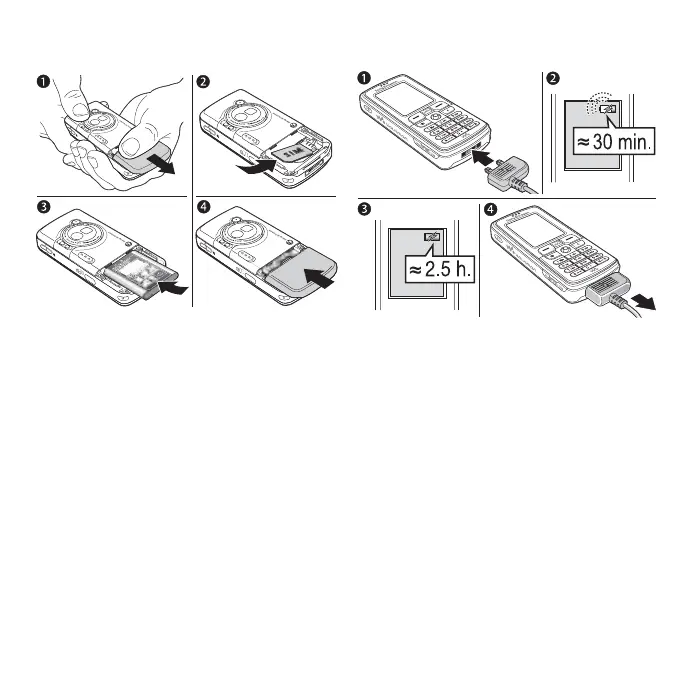
To insert SIM card and battery
1 Remove the battery cover by sliding
it as shown in the picture.
2 Slide the SIM card into its holder with
the gold contacts facing down.
3 Insert the battery with the label side up
and the connectors facing each other.
4 Slide the battery cover into place as
shown in the picture.
To charge the battery
1 Connect the charger to the phone.
The symbol on the charger plug must
face upwards.
2 It may take up to 30 minutes before
the battery icon appears on the
screen.
3 Wait approximately 2.5 hours or until
the battery icon indicates that the
battery is fully charged. If you do not
see the battery icon after this time,
press a key to activate the screen.
4 Remove the charger by pulling the
charger plug straight out.







 To Next Page