GB
10
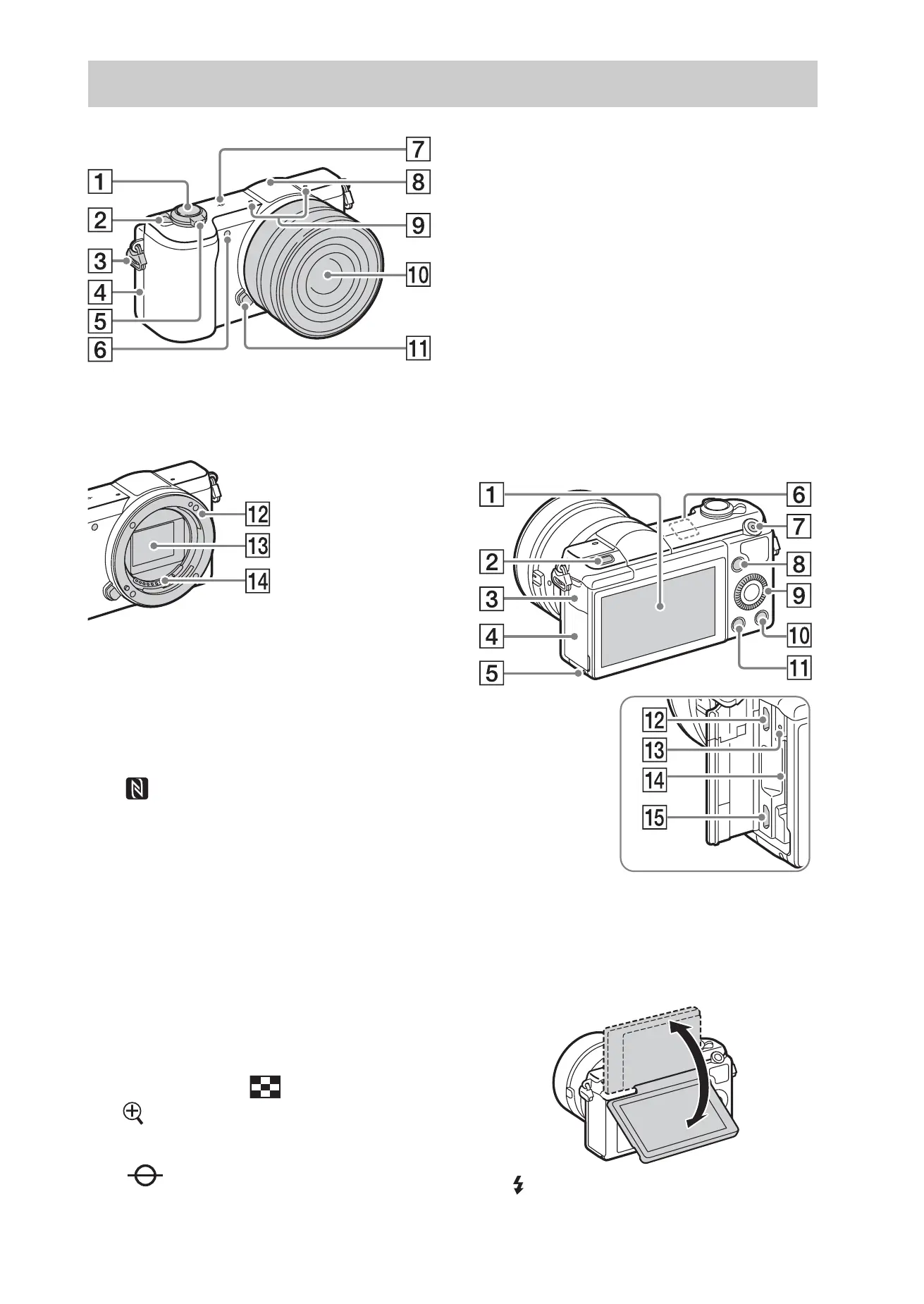
When the lens is removed
A Shutter button
B ON/OFF (Power) switch
C Hook for shoulder strap
D (N Mark)
• Touch the mark when you
connect the camera to a
smartphone equipped with the
NFC function.
• NFC (Near Field
Communication) is an
international standard of the
short-range wireless
communication technology.
E For shooting: W/T (zoom) lever
For viewing: (Index)/
(Playback zoom) lever
F AF illuminator/Self-timer lamp
G Image sensor position mark
H Flash
I Microphone
1)
J Lens
K Lens release button
L Mount
M Image sensor
2)
N Lens contacts
2)
1)
Do not cover this part during movie
recording.
2)
Do not touch this part directly.
A Monitor/Touch panel
• You can adjust the monitor to an
easily viewable angle and shoot
from any position.
B (Flash pop-up) button
Identifying parts



 To Next Page