GB
20
x
To remove the memory card/battery pack
Memory card: Push the memory card in once to eject the memory card.
Battery pack: Slide the battery eject lever. Be sure not to drop the battery pack.
• Never remove the memory card/battery pack when the access lamp (page 11) is lit.
This may cause damage to data in the memory card.
Notes
Setting the clock
1
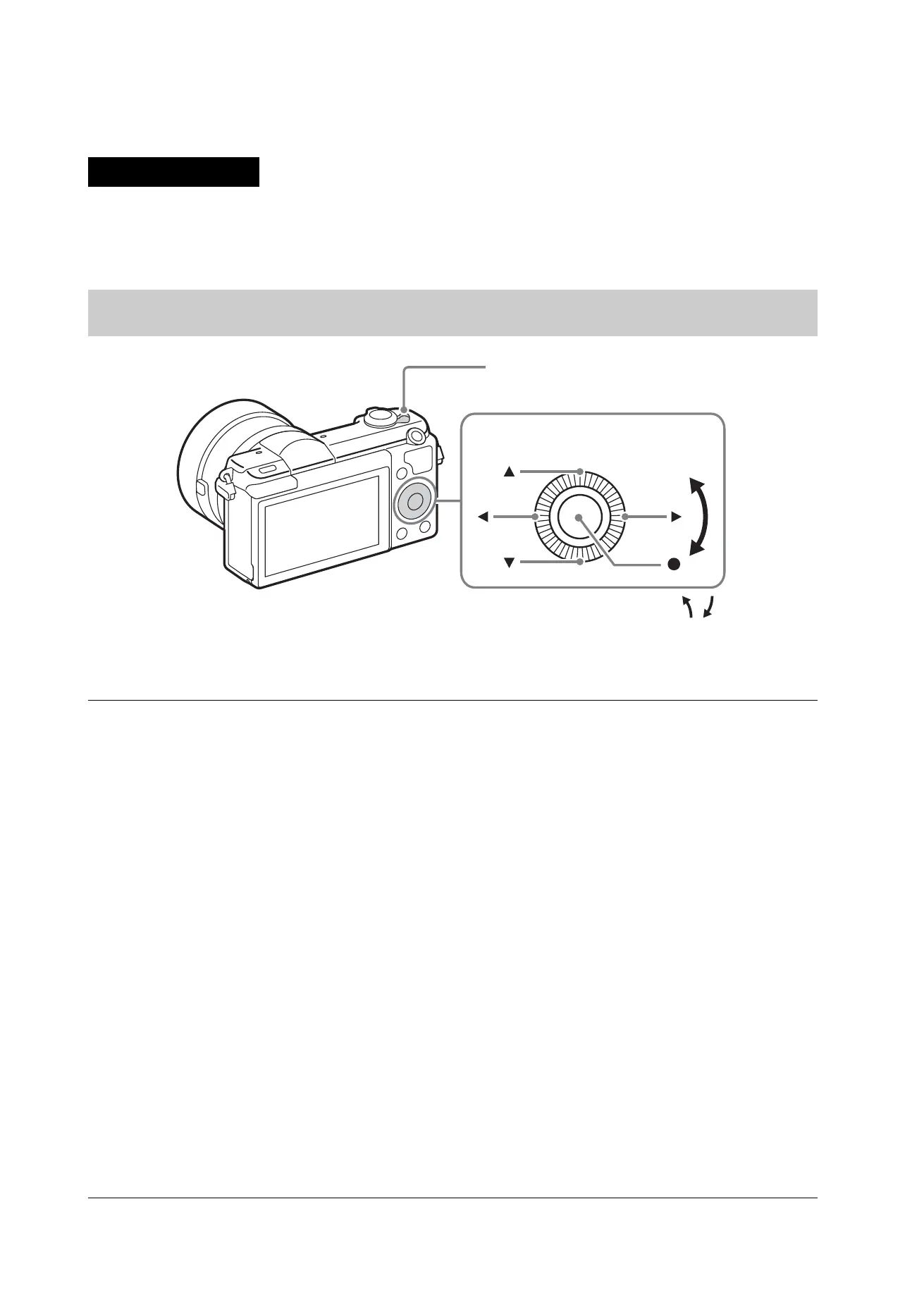
Set the ON/OFF (Power) switch to ON.
The Date & Time setting is displayed when you turn on the camera for the
first time.
• It may take some time for the power to turn on and allow operation.
2
Check that [Enter] is selected on the screen, then press
z on the control wheel.
3
Select a desired geographic location by following the
on-screen instructions, then press z.
4
Set [Daylight Savings], [Date/Time] and [Date Format],
then press z.
• When setting [Date/Time], midnight is 12:00 AM, and noon is
12:00 PM.
5
Check that [Enter] is selected, then press z.
Control wheel
ON/OFF (Power)
Select items: v/V/b/B//
Set:
z



 To Next Page