How to remove the memory card
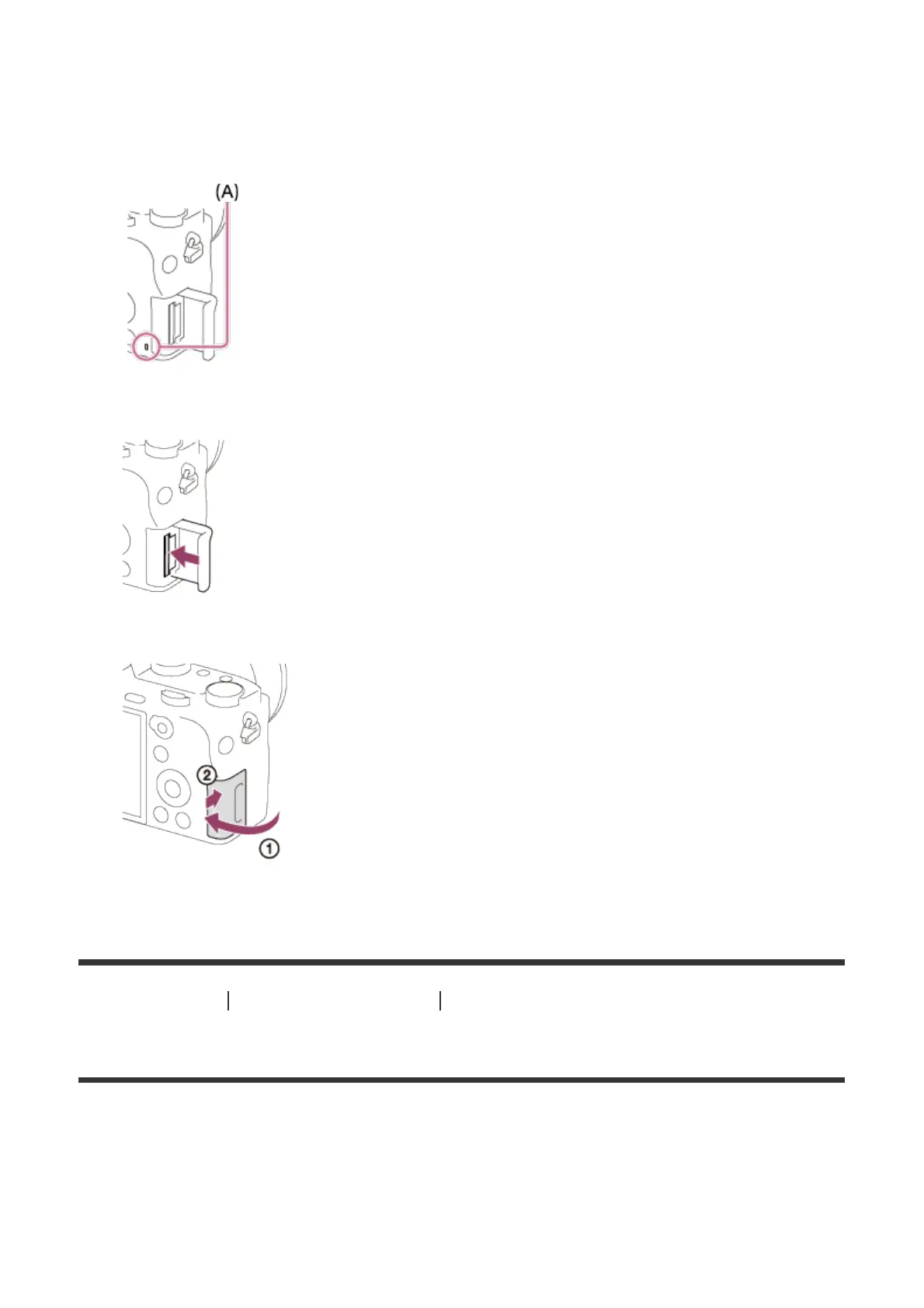
1. Open the memory card cover.
2. Make sure that the access lamp (A) is not lit.
3. Push in on the memory card once to remove it.
4. Close the memory card cover.
[21] How to Use Preparing the camera Inserting a memory card (sold separately)
Usable memory cards
You can use the following types of memory cards with this camera.
For movies, refer to “Memory cards that can be used for movie recording” on this page.
Usable Memory Stick media


 To Next Page