ILCE-7SM3
5-060-467-41(1)
EN
44
\\Win-473\camera\CX85000(OT)UUD_IM\Multi\04_Compose\5060467411_14lang\5060467411ILCE7SM3CEC\01EN-ILCE7SM3CEC\080MEN.indd
DTP data saved: 2023/12/27 17:47
PDF file created: 2024/01/19 12:00
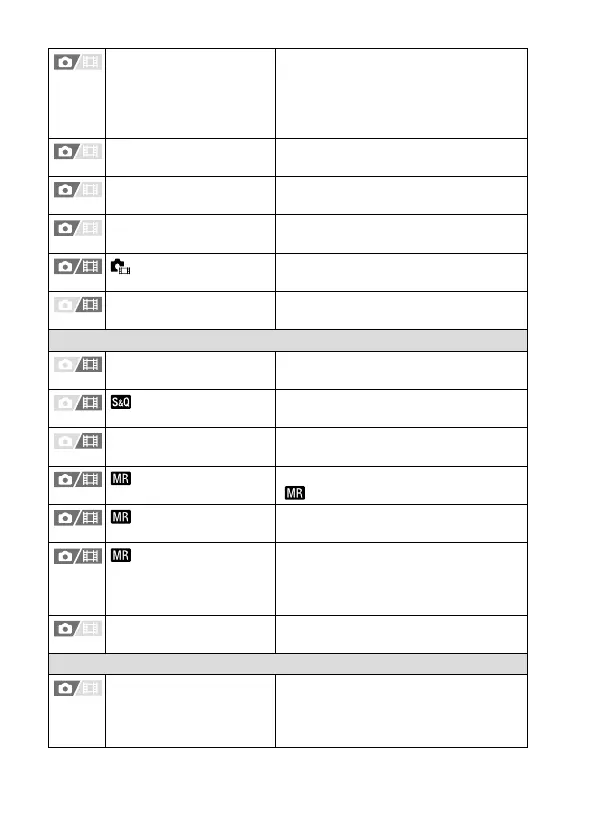
Select REC Folder Selects the folder to which images are
saved (REC folder) when [Folder Name]
under [File/Folder Settings] is set to
[Standard Form], and there are two or
more folders.
Create New Folder Creates a new folder on the memory
card for recording still images.
IPTC Information Writes IPTC information when recording
still images.
Copyright Info Sets copyright information for still
images.
Write Serial Number
Writes the camera’s serial number when
shooting.
File Settings Sets file numbers and file names for
movies to be recorded.
Shooting Mode
Exposure Mode Sets the exposure mode when shooting
movies.
Exposure Mode
Sets the exposure mode when shooting
slow-motion/quick-motion movies.
Exposure Ctrl Type Selects the method for setting the
exposure during movie shooting.
Recall Camera Setting
Calls up settings pre-registered to
[
Camera Set. Memory].
Camera Set. Memory
Registers the desired modes and
camera settings.
Memory/Recall Media
Selects the memory card slot from
which settings are recalled or to which
settings are registered for M1 through
M4.
Reg. Custom Shoot Set Assign functions to the custom key to
recall when shooting.
Drive Mode
Drive Mode Selects a shooting mode, such as
continuous shooting.
([Self-timer(Single)] / [Cont. Bracket],
etc.)



 To Next Page