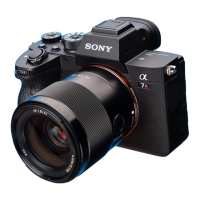
ILCE-7M4
5-031-523-32(1)
GB
8
C:\Users\gotanda\Desktop\5031523321\5031523321ILCE7M4CEC\01GB-ILCE7M4CEC\01GB.indd
DTP data saved: 2021/07/20 15:20
PDF file created: 2021/07/20 15:20
Connecting the camera to a smartphone
To use Imaging Edge Mobile, you need to pair the camera with your
smartphone. Follow the steps below to perform pairing.
1 On the camera, select MENU (Network) [Smartphone Connect]
[Smartphone Regist.].
2 Following the instructions on the screen, set [Bluetooth Function] to
[On].
The pairing screen will appear.
• If [Bluetooth Function] is already set correctly, the pairing screen will
be displayed immediately.
3 Launch Imaging Edge Mobile on your smartphone and follow the on-
screen instructions to perform pairing.
For details on the pairing method, refer to the following Help Guide (Web
manual) URL:
https://rd1.sony.net/help/ilc/2110_pairing/h_zz/
Note
• The operation method and screen display of the application may change
without notice due to future version upgrades.
• If you performed pairing after setting the date and time, you do not need
to perform this step.



 To Next Page