Using the viewing function
113
Fn button t [Delete] t [All images] t [Delete]
Note
• It may take a long time to delete a lot of images by selecting [All images]. It is
recommended that you delete images on a computer or format the memory card
using the camera.
4 Press the Fn button.
5 Select [Delete] with v on the control button, then press the
center of the control button.
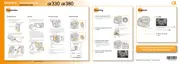
Deleting all the images in the folder
1 Fn button t [Image Index] t Select the desired number of
images
2 Select the folder bar with b on
the control button.
Folder bar
3 Press the center of the control button, then select the folder you
want to delete with v/V.
4 Press the button.
5 Select [Delete] with v, then press the center of the control
button.
Deleting all the images all at once



 To Next Page
 Loading...