Before your operation
37
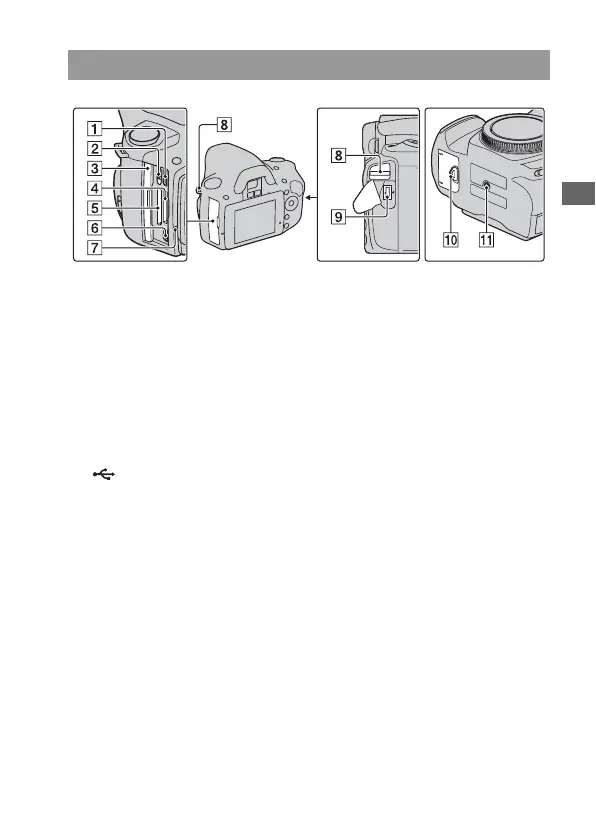
A HDMI terminal (114)
B Memory card switch
C Memory card cover
D “Memory Stick PRO Duo”
media insertion slot (22)
E SD memory card insertion slot
(22)
F (USB) terminal (132, 148)
G Access lamp (23)
H Hooks for shoulder strap (27)
I DC IN terminal
• When connecting the AC-
PW10AM AC Adaptor (sold
separately) to the camera, turn
the camera off, then plug the
connector of the AC Adaptor to
the DC IN terminal on the
camera.
J Battery cover (17)
K Tripod receptacle
• Use a tripod with a screw length
of less than 5.5 mm (7/32 inch).
You will be unable to firmly
secure the camera to tripods
having screws longer than 5.5
mm (7/32 inch), and may
damage the camera.
Sides/Bottom



 To Next Page
 Loading...