70
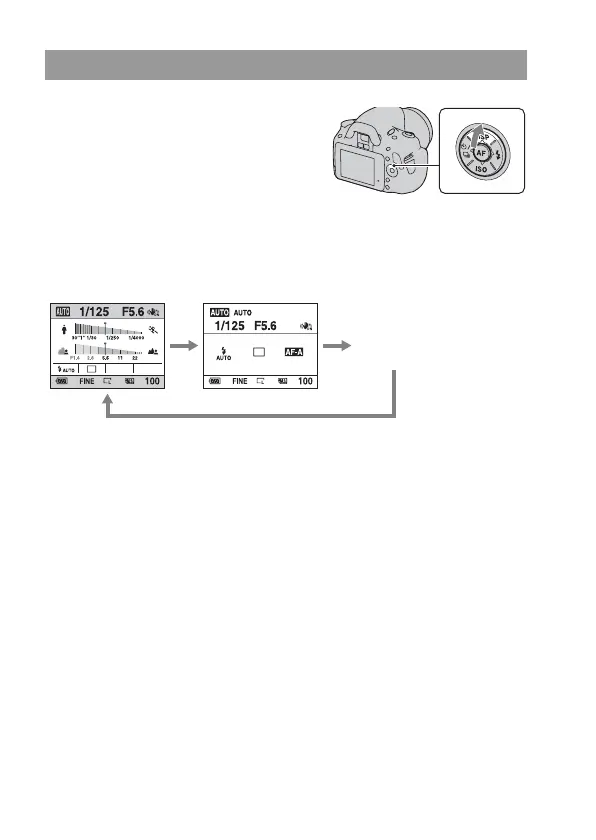
Switching the recording information display (DISP)
Press DISP on the control button to
switch between the Graphic Display and
the Standard Display.
When you rotate the camera to a vertical
position, the display automatically rotates
to adjust to the camera position.
Standard Display
No display
Graphic Display
(Default setting)



 To Next Page
 Loading...