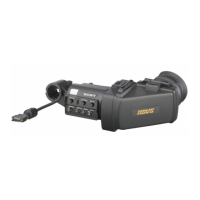
Raising the Viewfinder Barrel and Eyepiece
22
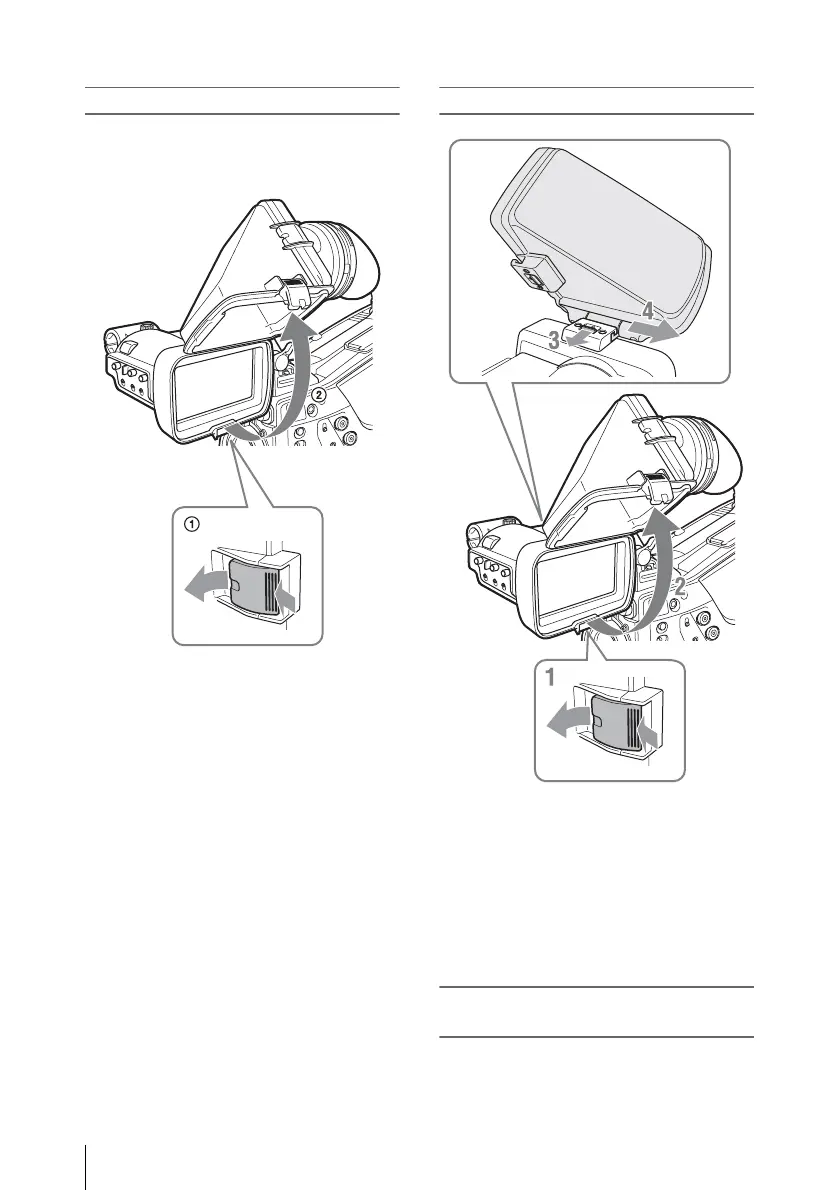
Raising the viewfinder barrel
Push the clip on the bottom to release and flip up
the viewfinder barrel.
It locks at the 120-degree position.
Normally use it in the locked position.
Although you can open it farther from the lock
position, once return it to the closed position to
lock it at the 120-degree position again.
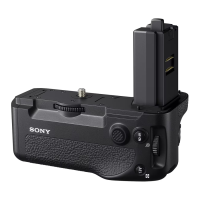
Detaching the viewfinder barrel
1 Push the clip on the bottom to release.
2 Flip up the viewfinder barrel.
3 Slide the knob on the top to the opposite
side of the viewfinder barrel.
4 Detach the viewfinder barrel by
horizontally sliding it.
Reversing the display (image/text
indication) horizontally
By setting the MIRROR switch to L/R, you can
reverse the picture and other information
displayed in the screen horizontally.


 To Next Page