EasyManua.ls Logo

Sony CCD-F35 - Page 2

Sony CCD-F35
236 pages
Print Icon
To Next Page IconTo Next Page
To Previous Page IconTo Previous Page
Loading...
Display
in
the
viewfinder
Mode
and
caution
indicators
Caution:
9
//
(0)
Ga
Mode:
REC/STBY/PAUSE/
&,
<4
(Editsearch)!
@IGISTILLIPLAY!
bP
l-<q/SLOW/I>
LP
mode,
AM/PM, FOCUS,
(3,
WHITE
BALANCE,
ZERO
MEM,
shutter
speed
Recording/battery
lamp
General
Power
requirements
Battery
compartment
6.0
V
(battery
pack)/7.5
V
(AC
power
adaptor)/9.0
V
(EBP-55)
Power
consumption
6.9
W
(camera
recording)
including
the
viewfinder
Installation
Vertically,
horizontally
Operating
temperature
0°C
to
40°C
(32°F
to
104°F)
Storage
temperature
-20°C
to
+60°C
(—4°F
to
+140°F)
Approx.
122
x
153
x
312
mm
(wihid)
(47le
x
64s
x
125%
in.)
including
tens
hood
Weight
Approx.
1.2
kg
(2
tb
10
02)
excluding
the
battery
and
cassette
Electret
condenser
microphone,
omni-directional
monaural
type
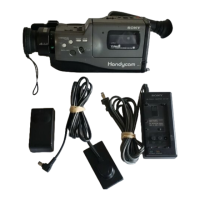
Supplied
accessories
Battery
pack
NP-55
(1)
AC
power
adaptor
AC-V30
(1)
RFU
adaptor
RFU-89UCA
(1)
Antenna
selector
(1)
Lithium
battery
CR2025
(1)
Dimensions
Microphone
Design
and
specifications
are
subject
to
change
without
notice.
SAFETY
CHECK-OUT
After
correcting
the
original
service
problem,
perform
the
following
safety
checks
before
releasing
the
set
to
the
customer:
1,
Check
the
area
of
your
repair
for
unsoldered
or
poorly-soldered
connections.
Check
the
entire
board
surface
for
solder
splashes
and
bridges.
2.
Check
the
interboard
wiring
to
ensure
that
no
wires
are
“pinched”
or
contact
high-wattage
resistors.
3.
Look
for
unauthorized
replacement
parts,
par-
ticularly
transistors,
that
were
installed
during
a
previous
repair.
Point
them
out
to
the
customer
and
recommend
their
replacement.
SAFETY-RELATED
COMPONENT
WARNING!!
COMPONENTS
IDENTIFIED
BY
MARK
A\
OR
DOTTED
LINE
WITH
MARK
A\
ON
THE
SCHEMATIC
DIAGRAMS
AND
IN
THE
PARTS
LIST
ARE
CRITICAL
TO
SAFE
OPERATION.
REPLACE
THESE
COMPONENTS
WITH
SONY
PARTS
WHOSE
PART
NUMBERS
APPEAR
AS
SHOWN
IN
THIS
MANUAL
OR
IN
SUPPLEMENTS
PUB-
LISHED
BY
SONY.
4.
Look
for
parts
which,
though
functioning,
show
obvious
signs
of
deterioration.
Point
them
out
to
the
customer
and
recommend
their
replace-
ment.
5.
Check
the
B+
voltage
to
see
it
is
at
the
values
specified.
ATTENTION
AU
COMPOSANT
AYANT
RAPPORT
A
LA
SECURITE!
LES
COMPOSANTS
IDENTIFIES
PAR
UNE
MARQUE
/\
SUR
LES
DIAGRAMMES
SCHEMATIQUES
ET
LA
LISTE
DES
PIECES
SONT
CRITIQUES
POUR
LA
SECURITE
DE
FONCTIONNEMENT.
NE
REMPLACER
CES
COM-
POSANTS
QUE
PAR
DES
PIECES
SONY
DONT
LES
NUMEROS
SONT
DONNES
DANS
CE
MANUEL
OU
DANS
LES
SUPPLEMENTS
PUBLIES
PAR
SONY.