13
EN
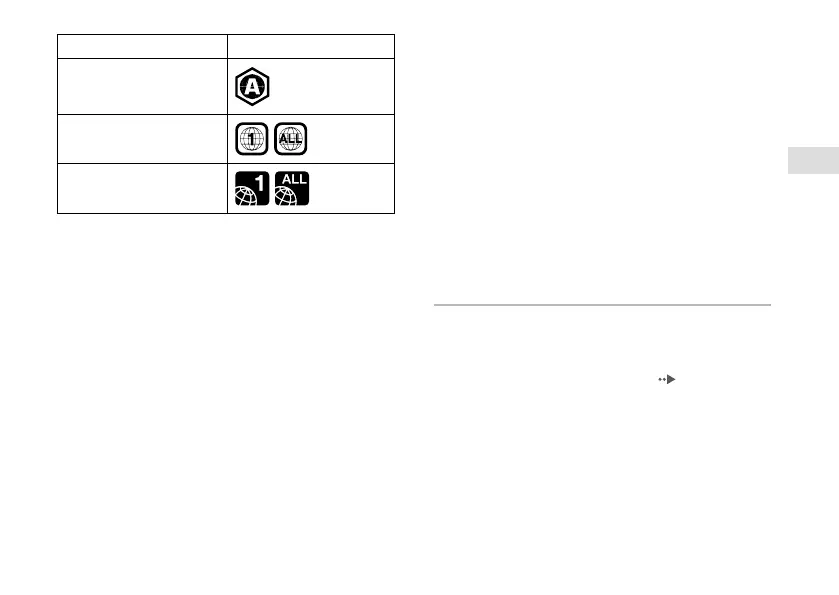
Disc Region code
Blu-ray Disc (BD)
DVD
PlayStation
®
4 format BD-ROM
Notices
• For DVDs with a region code other than "ALL" or "1", follow
the on-screen instructions for changing the system region
code.
• You can change the DVD region code setting for the PS4™
system up to four times, after which the region code
setting will be locked.
• DVD discs that have not been finalized cannot be played.
• Do not use the following discs. If you do, the system may
be damaged.
– 8 cm discs
– Non-circular discs, such as discs in the shape of a card,
star, or heart
– Discs that are cracked or deformed, or discs that have
been repaired.
• A DualDisc features one side that conforms to the DVD
standard, and another side with audio only. The audio-only
side cannot be played on the PS4™ system.
• When playing discs with content that was copied,
abnormal sounds may be produced or the content may
not play correctly.
• For continuous playback of copyright-protected BDs, the
encryption key for AACS (Advanced Access Content
System) may need to be renewed. The encryption key is
automatically renewed if the PS4™ system is connected to
the Internet.
• Some discs may not be playable due to scratches, dust, the
quality of recording, or the characteristics of the recording
device.
• In rare instances, BD and DVD may not operate properly
when played on the PS4™ system. This is primarily due to
variations in the manufacturing process or encoding of the
software.
System software
By updating the system software of the PS4™ system, you
can enjoy additional features and enhanced security. Always
update to the latest version. If you cannot update over the
Internet, you can use a game disc or USB storage device
instead. For details, visit the update site (
back cover).







 To Next Page