36
Programming the MD tracks
(continued)
To cancel Program Play
Press p to stop play, then press CONTINUE.
To cancel the programming
operation
Press p during steps 4 to 6.
To clear the entire program
Press p in Program Play stop mode.
To add a track to the program
1 Press DISC SKIP (or MD D.SKIP on the
remote) in stop mode until the desired MD
appears.
2 Turn SELECTOR (or press MD = or +
on the remote) until the track number you
want to add appears.
3 Press ENTER/YES (or press PROGRAM on
the remote).
The selected track is added to the end of the
program.
Tips
• To program the entire MD as one step of the
program, press ENTER/YES (or PROGRAM on
the remote) while “AL” is displayed in step 4.
• The program you made remains after the Program
Play has finished. To play the same program
again, press ·∏ (or MD · on the remote).
• If you remove an MD from the MD 1 – 3 slots, the
tracks on the removed MD are erased from the
program.
• “PGM FULL” appears when you try to program
26 or more tracks. In addition, “--m--s” appears
when the total program time exceeds 100 minutes.
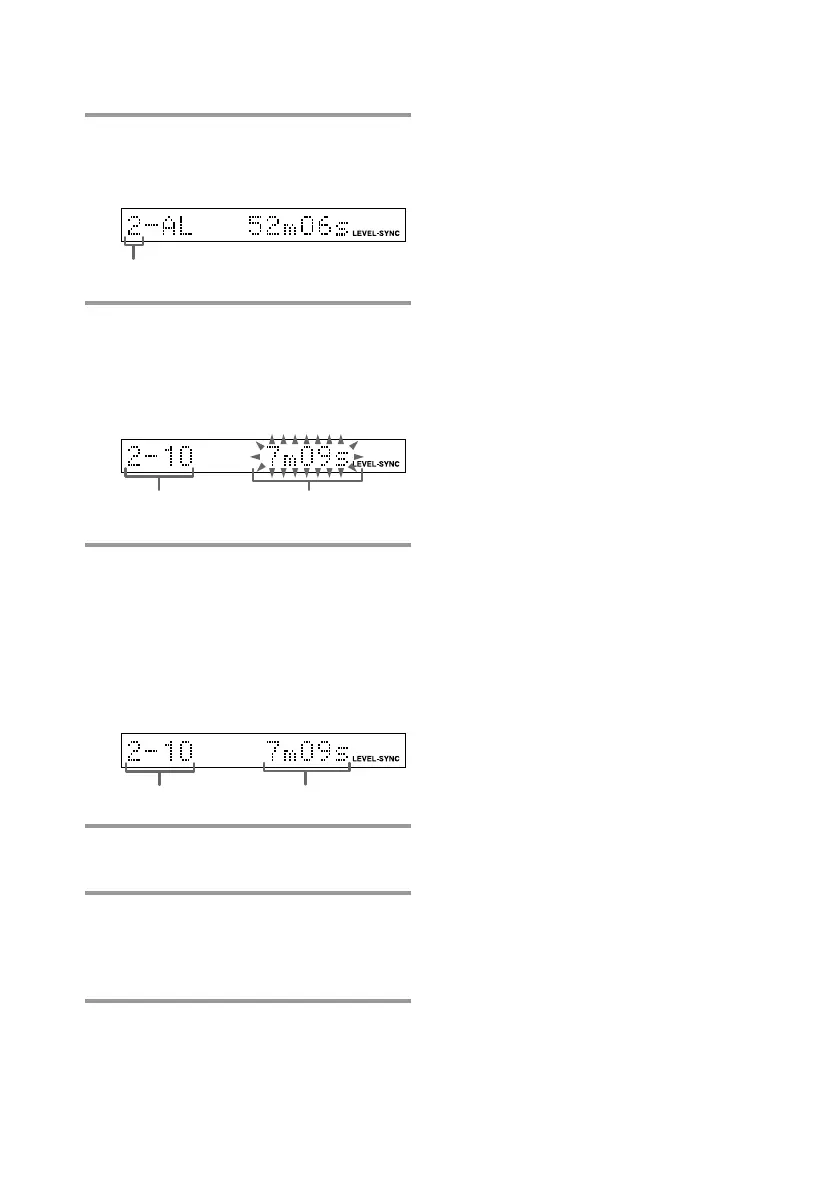
MD slot number
4 Press DISC SKIP (or MD D.SKIP on
the remote) to select the desired
MD.
5 Turn SELECTOR (or press MD =
or + on the remote) until the
desired track number appears.
The selected MD and track numbers
flash.
6 Press ENTER/YES (or PROGRAM
on the remote).
The track is programmed. The total
number of the programmed tracks
(steps) appears, followed by the last
programmed track number and the total
playing time of all the programmed
tracks.
7 To program additional tracks,
repeat steps 4 to 6.
8 Press ·∏ (or MD · on the
remote).
All the tracks play in the order you
selected.
Selected MD and
track numbers
Total playing
time
Total playing time
Last track



 To Next Page