43
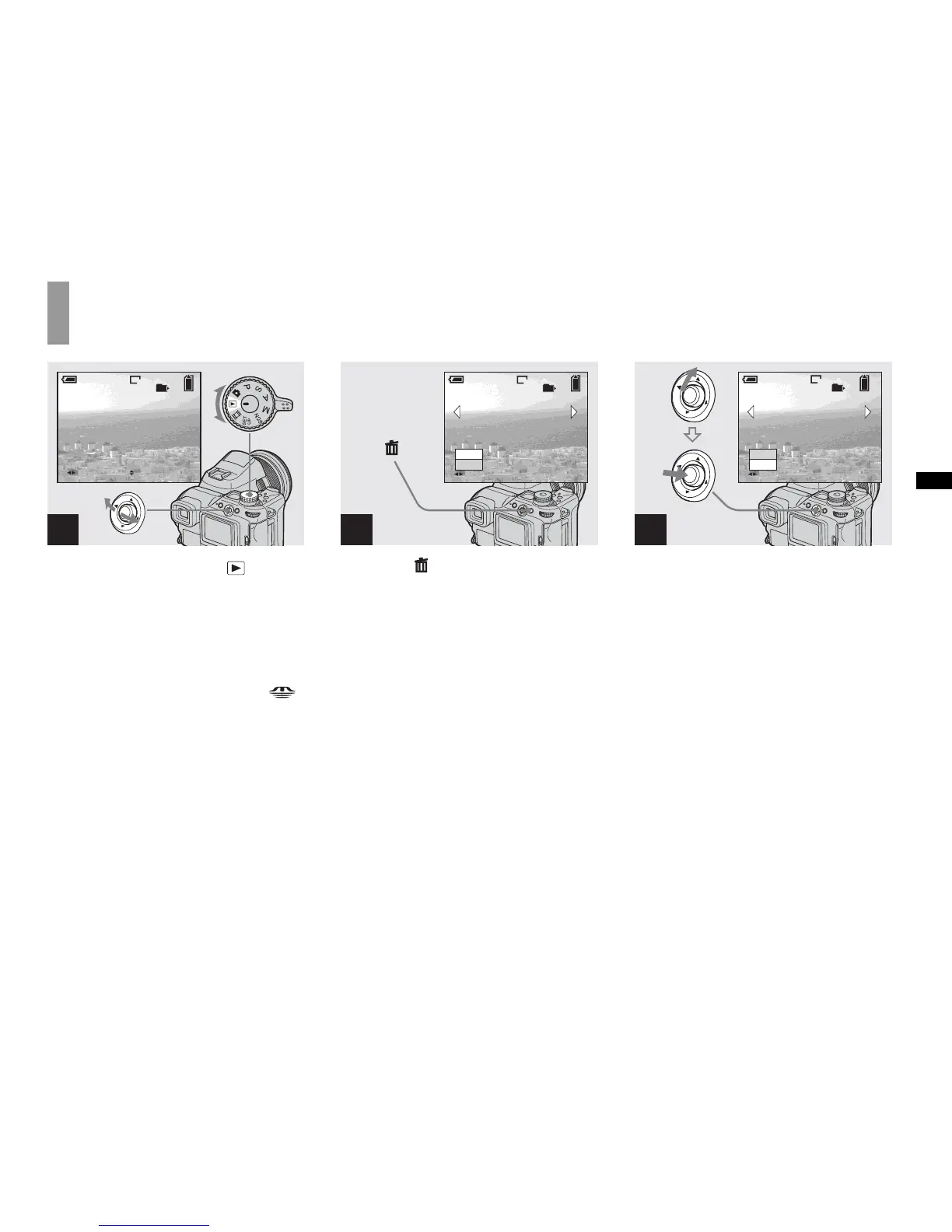
Deleting still images
Deleting images
, Set the mode dial to , and
turn on the camera.
Select the image you want to
delete by moving the multi-
selector to b/B.
• To select the recording medium, use the /
CF switch (page 21).
• Note that the images once deleted cannot be
recovered.
, Press (delete).
The image has not yet been deleted at this
point.
• You cannot delete protected images (page 89).
, Select [Delete] by moving the
multi-selector to v , then press
the center.
“Access” appears on the screen and the
image will be deleted.
To delete other images continuously
Select the image you want to delete by
moving the multi-selector to b/B. Next,
select [Delete] by moving the multi-selector
to v , then press the center.
To cancel the deletion
Select [Exit] by moving the multi-selector
to V, then press the center.
1
BACK/NEXT
10:30
PM
2004 1 1101-0002
2/9
VOLUME
101
8M
80
min
2
2/9
101
Delete
Exit
BACK/NEXT
8M
80
min
3
2/9
101
8M
Delete
Exit
BACK/NEXT
80
min



 To Next Page
 Loading...








