1-2
DSC-M2
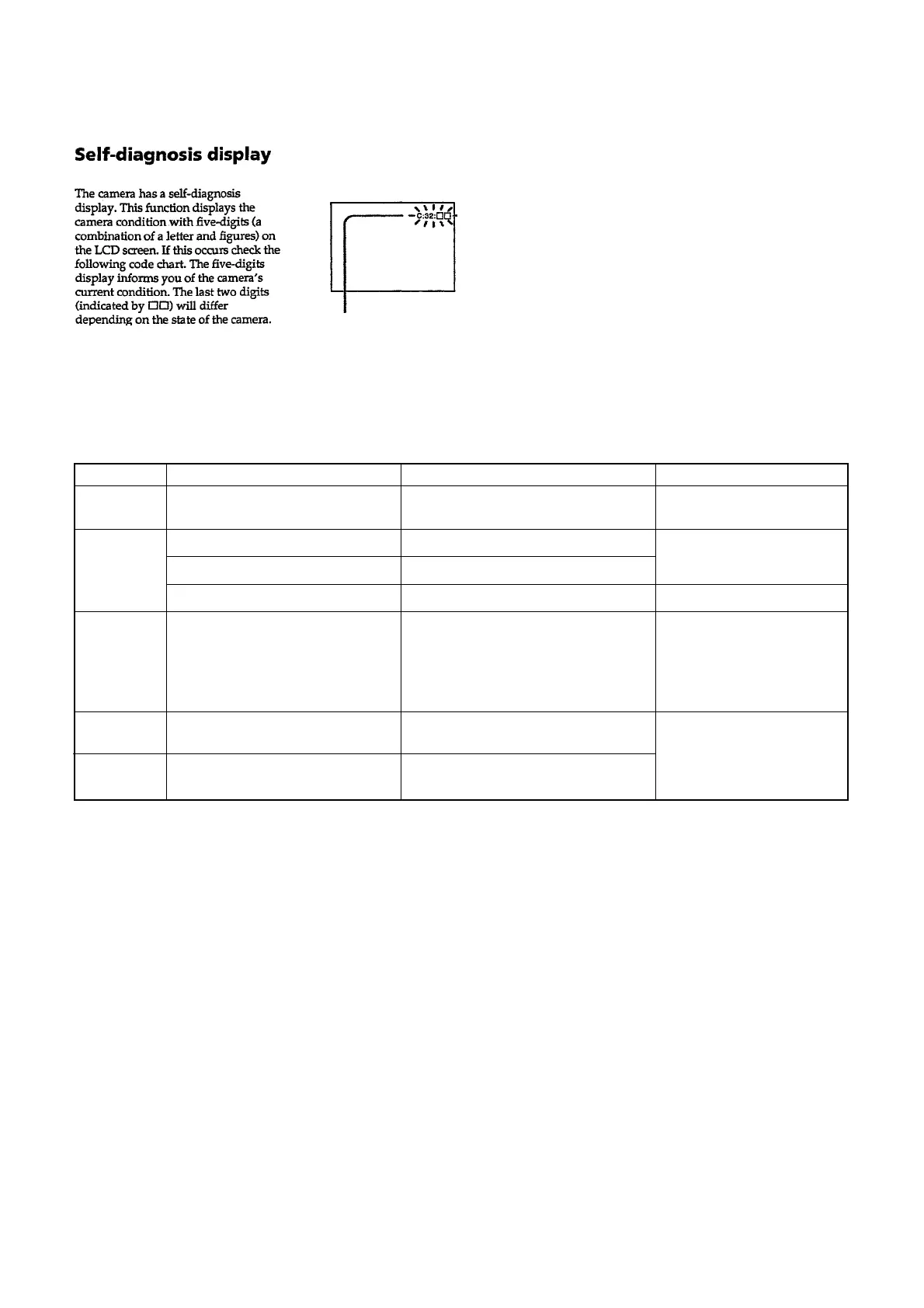
Self-diagnosis display
• C: ss: ss
The contents which can be handled
by customer, are displayed.
• E: ss: ss
The contents which can be handled
by engineer, are displayed.
[Description on Self-diagnosis Display]
C:13:ss
Format the “Memory Stick Duo”.
Execute [Format Album] (page 1-3).
Insert a new “Memory Stick Duo”.
Unformatted “Memory Stick Duo” is inserted.
A format error on Album has occured.
“Memory Stick Duo” is broken.
FORMAT ERROR
MEMORY STICK ERROR
Display Code
C:32:ss
Countermeasure
Turn the power off and on again.
Cause
Trouble with hardware.
Caution Display During Error
SYSTEM ERROR
C:91:ss
E:61:ss
E:91:ss
Execute [Format Music] (page 1-3).
When you execute [Format Music] all
your stored Music files will be erased.
Tranfer the Music files using the
supplied application again.
Checking of lens drive circuit.
Checking of flash unit or replacement
of flash unit.
When transfering Music files from your
computer an error occured due to USB
disconnection or other problem.
When failed in the focus and zoom
initialization.
Abnormality when flash is being
charged.
—
—





 To Next Page