The NFC function is available only when the (N mark) is displayed on the
screen.
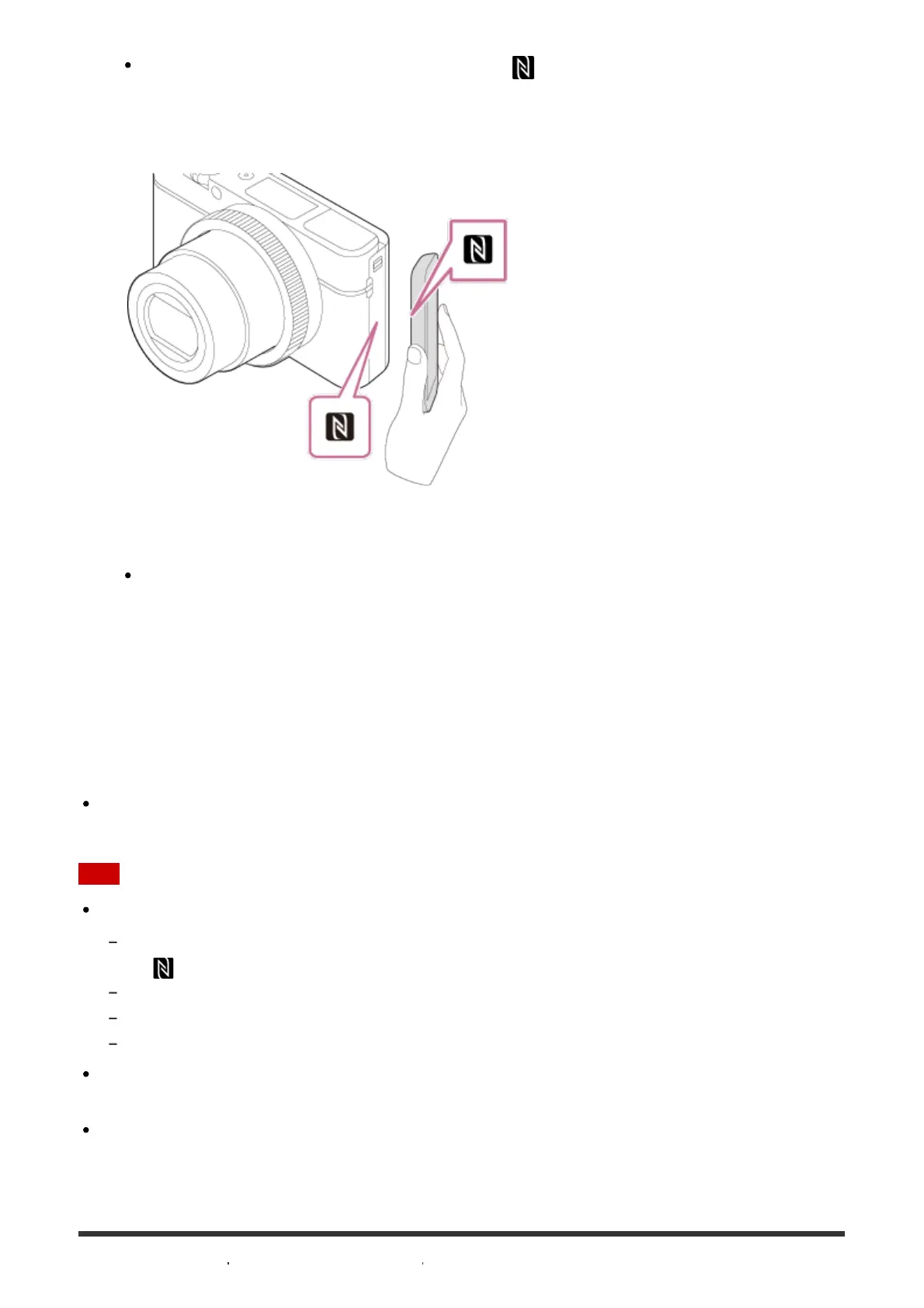
3. Touch the product to the smartphone.
The smartphone and the product are connected, and PlayMemories Mobile launches
on the smartphone.
Touch the smartphone to the product for 1-2 seconds until PlayMemories Mobile
launches.
About “NFC”
NFC is a technology that enables short-range wireless communication between various
devices, such as mobile phones or IC tags, etc. NFC makes data communication simpler
with just a touch on the designated touch-point.
NFC (Near Field Communication) is an international standard of short-range wireless
communication technology.
Note
If you cannot make a connection, do as the following:
Launch PlayMemories Mobile on your smartphone, and then move the smartphone slowly toward
the (N mark) of this product.
If the smartphone is in a case, remove it.
If the product is in a case, remove it.
Check whether the NFC function is activated on your smartphone.
When [Airplane Mode] is set to [On], you cannot connect this product and the smartphone.
Set [Airplane Mode] to [Off].
If this product and the smartphone are connected when the product is in playback mode,
the displayed image is sent to the smartphone.



 To Next Page
 Loading...







