46
GB
x
Stage 2: Importing images to your computer using “PMB”
1
Insert a fully charged battery pack to the camera and then
attach the camera to the multi-output stand (supplied).
2
Press the (Playback) button.
3
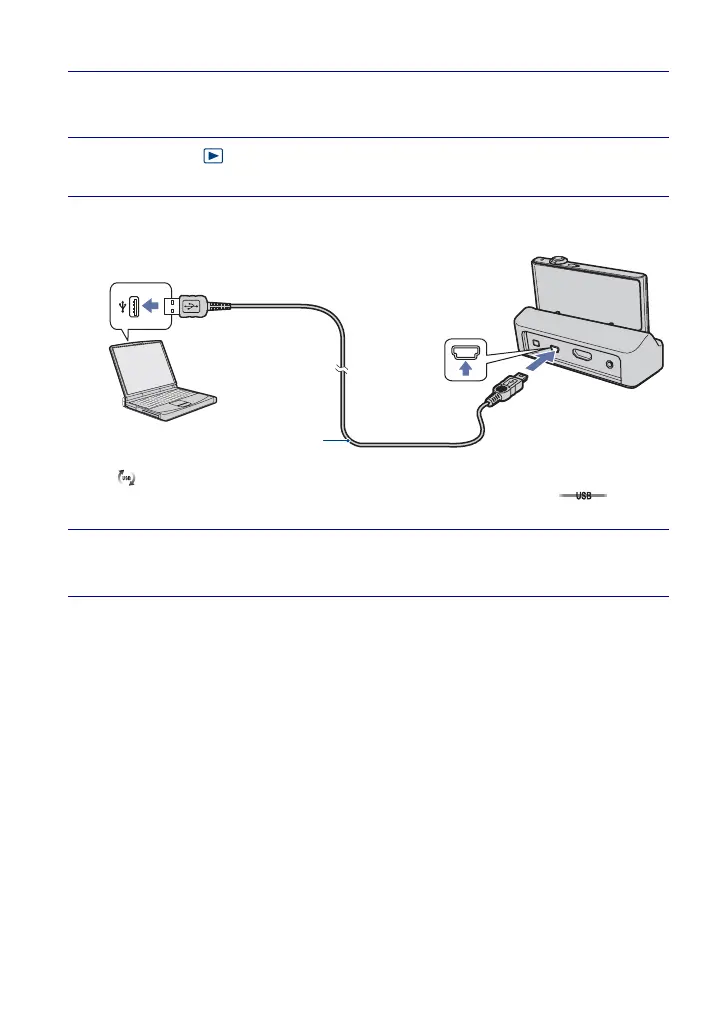
Connect the camera to your computer.
“Connecting…” appears on the screen of the camera.
• is displayed on the screen during the communication session. Do not operate the
computer while the indicator is displayed. When the indicator changes to , you can
start using the computer again.
4
Click the [Import] button.
For details, see the “PMB Guide”.
USB Cable
1 To a USB jack
2 To a USB jack









 To Next Page