Operationworkflow
3O
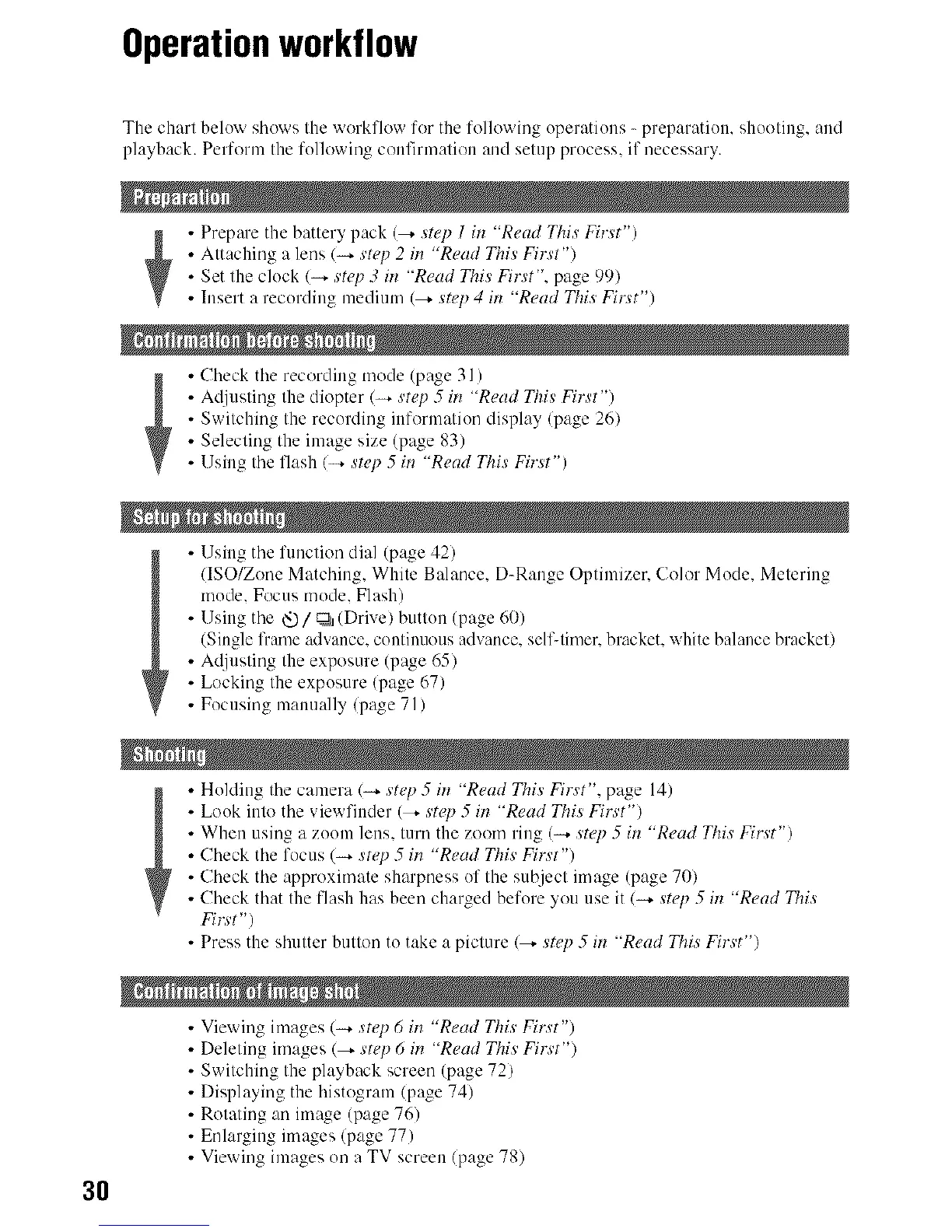
The charl below shows the workflow for the following operations - preparation, shooting, and
playback. Perform Ihe follcrvving confirmalion and setup process, if necessary.
• Prepare the batlery pack (--_ step 1 its "Read This' First")
Attaching a lens (4 step 2 in "Read This First')
Set lhe clock (4 step 3 il_ "Read This First", page 99)
Insert a recording medium (_ step 4 its "Read This Fi_t")
• Check tile recording mode (page 31 )
Adjusting the diopter (_ step 5 its "Read This Firs't")
Switching the recording information display (page 26)
Selecling the image size (page 83)
Using the flash (4 s'tep 5 its "Read This First")
• Using tile funclion dial (page 42)
(ISO/Zone Matching, White Balance, D-Range Optimizer, Color Mode, Metering
mode, Focus mode, Flash)
Using tile _/_ (Drive) butlou (page 60)
(Single frame advance, couliuuous advance, self-limer, bracket, white balance brackel)
Ac[justing the exposure (page 65)
Locking the exposure (page 67)
Focusing manually (page 71)
Holding tile camera (4 step 5 in "Read This First", page 14)
Look into tile viewfiuder (_ ,s't_7) 5 in "Read This Firs't')
When using a zoom lens, turn the zoom ring (_ ,s't_7) 5 in "Read This First")
Check tile focus (_ st_7) 5 in "Read This Firs't')
Check tile approximate sh_rpness of the subject image (page 70)
Check that the flash has been charged before you use it (4 swp 5 in "Read This
Fins't")
• Press the shutter button to take a picture (_ step 5 in "Read This First")
• Viewing images (-_. step 6 in "Read This First")
Deleting images (_ step 6 in "Read This First")
Switching the playback screen (page 72)
Displaying the histogram (page 74)
Rotating an image (page 76)
Enlarging images (page 77)
Viewing images on a TV screen (page 78)



 To Next Page
 Loading...












