Adjustingthe exposure
You can mauually shift lhe exposure value delerlnined by Ihe calnera. Use Ihis mode wheu you
do uul get tile proper exposure, for instance, the sut!ject and its background have high coulrusl
(light and dark).
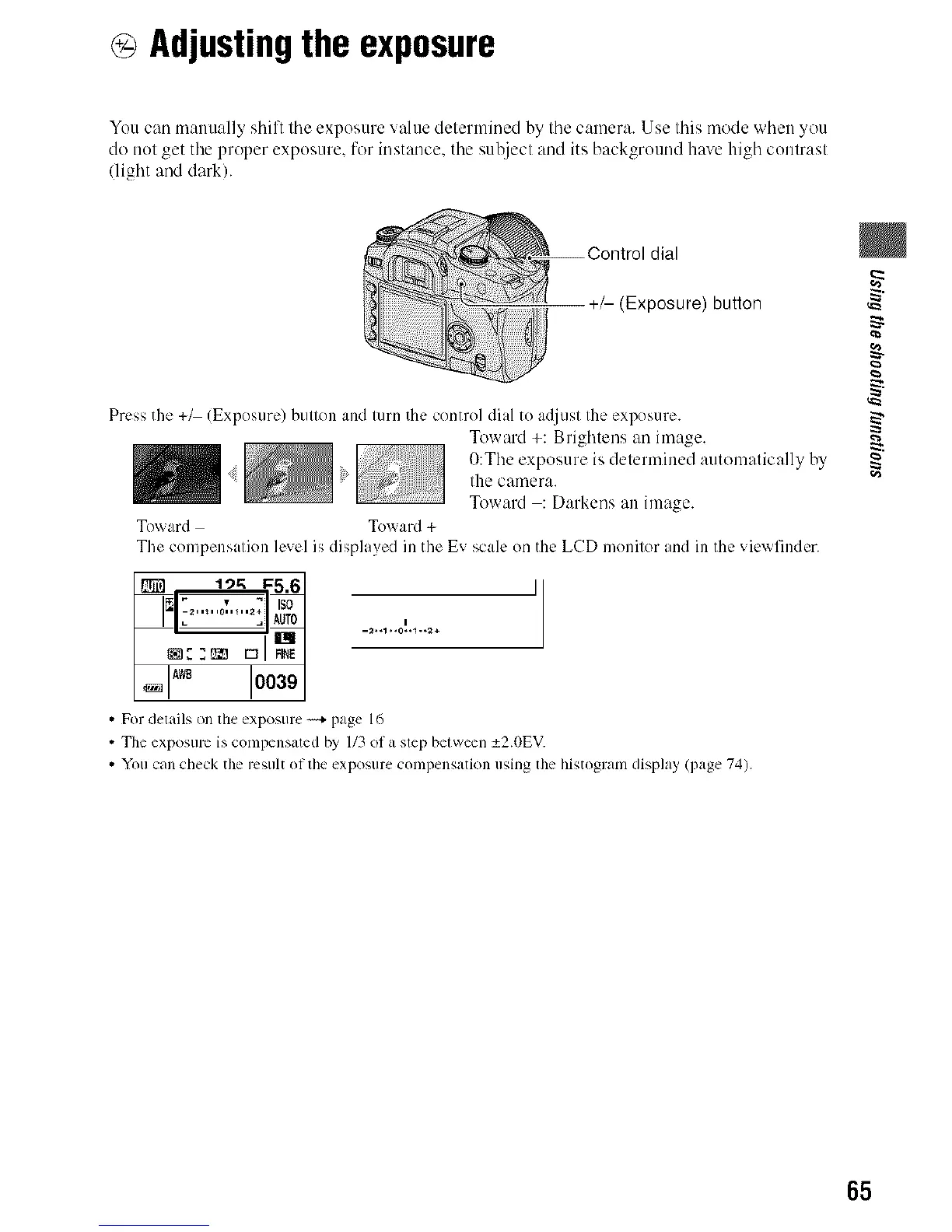
dial
+/- (Exposure) button
Press the +_ (Exposure) button and turn the control dial to adjust the exposure.
Toward +: Brightens an image.
O:The exposure is determined automatically by
:' the camera.
Toward : Darkens an image.
Toward Toward +
The compensation level is displayed in the Ev scale on the LCD monitor and in the vie_finder.
_? I")K 1:5,6J ]1
i00391
• For details on the exposure _+ page 16
• Tile exposmv is compensated by 1/3 of a step between _+2.0EV.
• You can check the result of the exposure compensatkm using lhe histogram display (page 74).
g
g
65



 To Next Page
 Loading...












