0 SlowSync(Shootingthe darkbackground
with flash)
When you shoot a portrait uutdoors at night with a dark background, a normal use of flash will
capture a clear image of the sut!ject, but tile background is out of flash range and will be to()
dark. In such a case. slow syuc shooting/shootiug with the flash and a slow shutter speed)
allows you tu capture a clear image of buth the subject and the background.
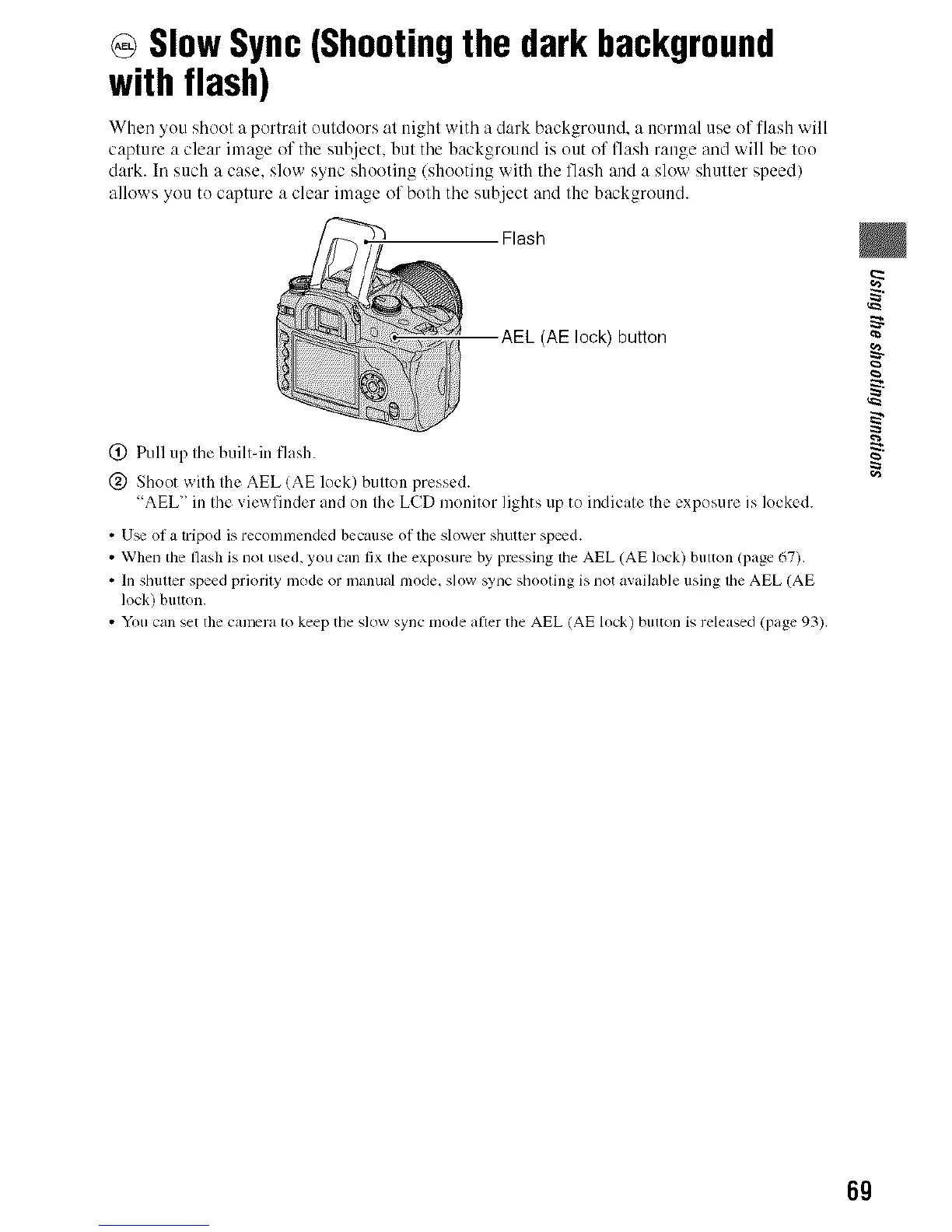
Flash
AEL (AE lock) button
(_) Pull up the built-in flash.
@ Shoot with the AEL (AE lock) button pressed.
"AEL" in the viewfinder and on the LCD monitor lights up to indicate the exposure is locked.
• U_ of a tripod is recommended because of the slower shuttcr speed.
• When the flash is not used, you call fix tile exposure by pressing the AEL (AE lock) billion (page 67).
• Ill shuuer speed priordy Inode or inanual nlode_ slow sync shooling is not available using lhe AEL (AE
lock) button.
• You call set the camera 1o keep the slow sync mode after the AEL (AE lock) bulton is released (page 93).
g
69



 To Next Page
 Loading...












